Google Ads and Meta Ads When AI Overviews Cut Clicks: What to Keep, Cut or Shift
When an AI Overview appears, paid click-through rates fall hard, so protect branded and high-intent search, re-test informational and loosely targeted campaigns, and move part of...
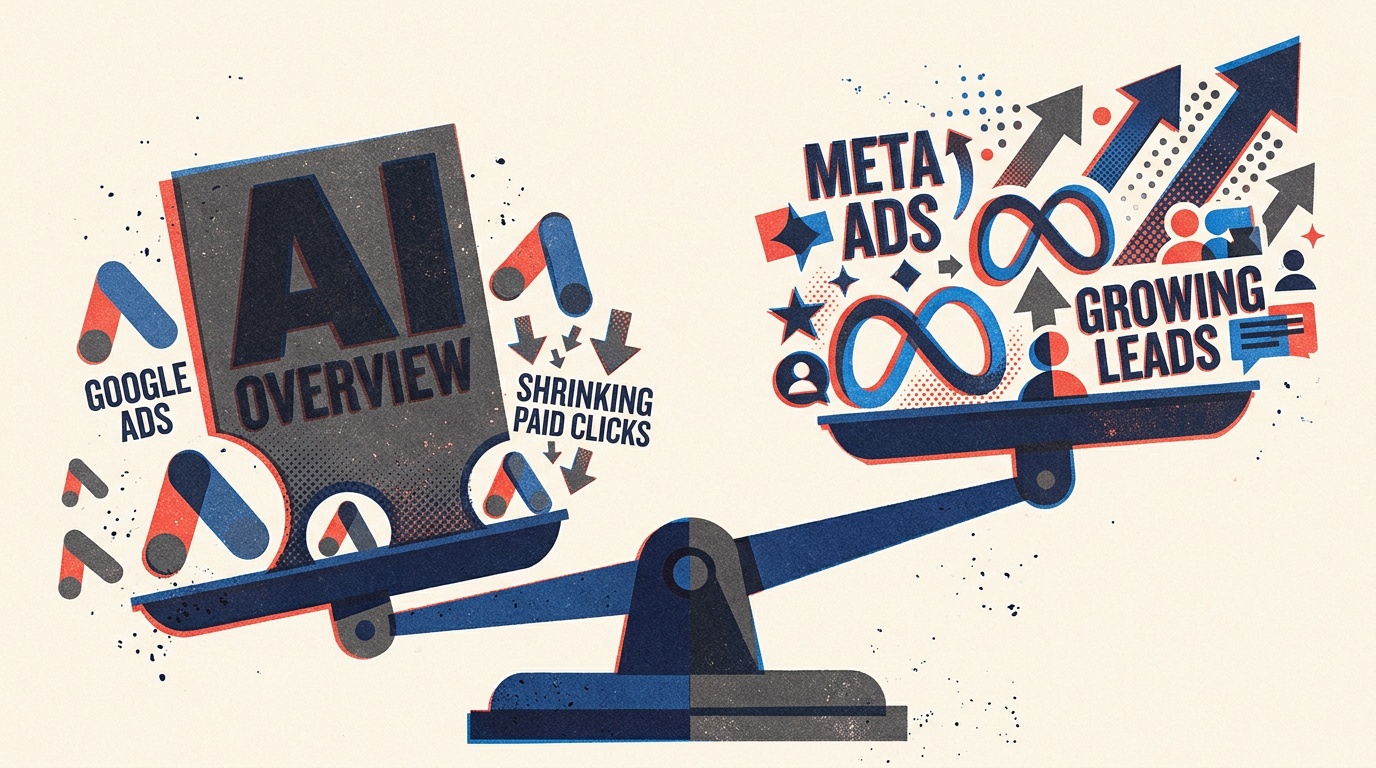
When an AI Overview appears, paid click-through rates fall hard, so protect branded and high-intent search, re-test informational and loosely targeted campaigns, and move part of the freed budget to Meta retargeting and lead forms. The Google Ads AI Overviews impact on paid clicks is large enough that you should decide where each dollar goes by campaign and query intent, not by channel. I’ve been in this industry for almost two decades, and this is the first shift where organic and paid losses land on the same lead-gen budget at once.
The Google Ads AI Overviews impact on paid clicks: the numbers
The data is consistent enough to plan around. The open question is how much of the drop hits your account, and that depends on the queries you buy.
Seer Interactive’s paid CTR data: from 19.7% to 6.34%
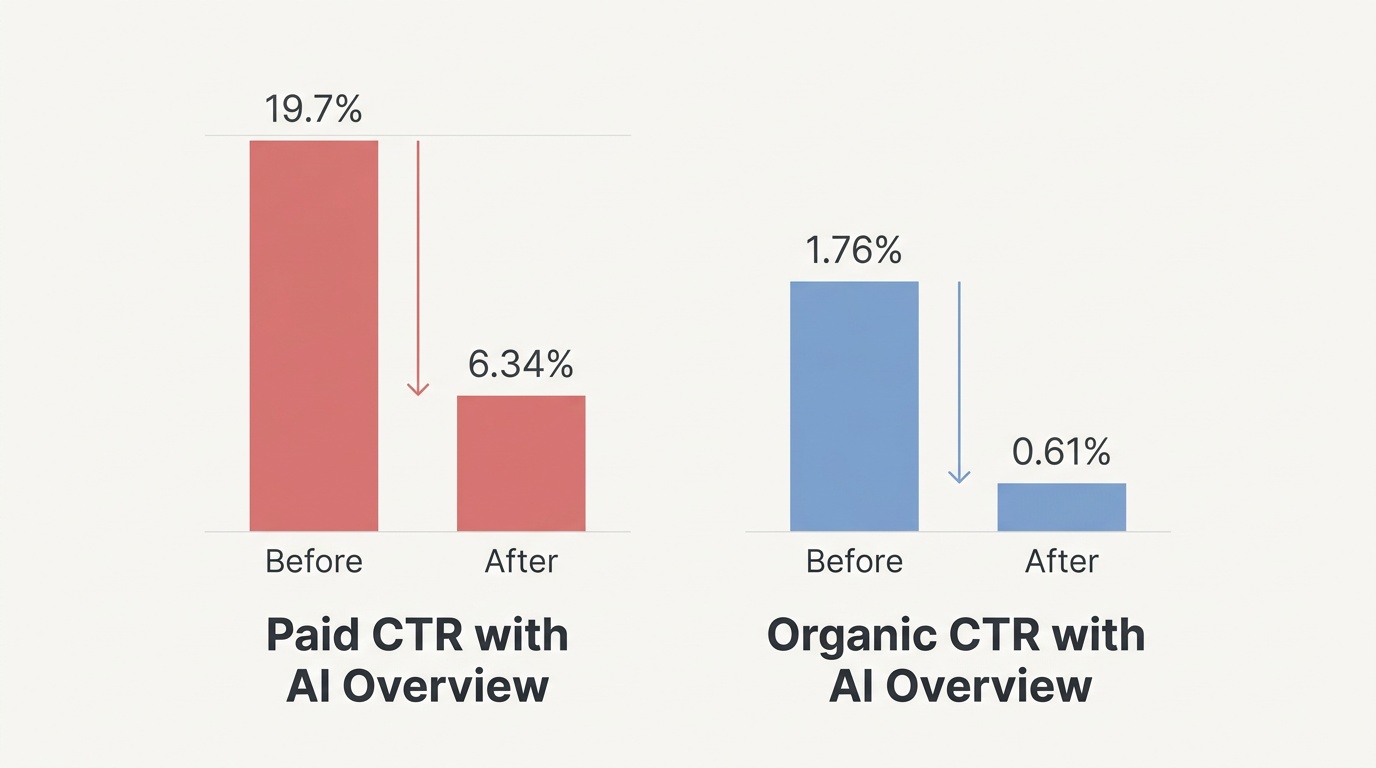
Seer Interactive’s September 2025 update found that on queries with an AI Overview, organic CTR fell from 1.76% to 0.61%, and paid CTR fell from 19.7% to 6.34%. Search Engine Land’s write-up frames it as a 61% organic drop and a 68% paid drop.
That makes AI Overviews paid CTR the sharper loss of the two. Paid ads sit in the same space the AI answer now fills, and searchers who get an answer on the page often stop there.
The decline on queries without AI Overviews
Do not blame everything on AI Overviews. Seer’s 2026 update shows paid CTR on queries without an AI Overview also slid, from 26% in January 2025 to 21.8% in February 2026.
So ad clicks are eroding across the results page. If you only audit the keywords that trigger AI Overviews, you will miss part of the problem.
Why cited brands still win clicks
One finding gives you something to act on. Search Engine Journal’s coverage of Seer’s data reports that CTR for brand-cited AI Overviews fell 61% from Q3 to Q4, yet the clicks on those pages barely moved. Being cited inside the answer still sends visitors.
Organic is hurting too. Ahrefs’ updated analysis puts the reduction in clicks to top-ranking content at 58%, up from its April 2025 estimate of 34.5%. We covered the diagnosis side in our posts on organic traffic drops after AI Overviews and on branded search as a KPI. This article focuses on what you do with the budget.
How AI Overviews changed where your Google Ads appear
Google did not only take space from ads. It also put ads into the new layout, and the rules for who gets that placement matter for your campaign structure.
Ads inside AI Overviews and AI Mode: the timeline
According to PPC News Feed’s timeline, Google announced tests of Search and Shopping ads inside AI Overviews at Google Marketing Live in May 2024. Ads went live for US mobile users in October 2024, the placement expanded to desktop in May 2025, and ads in AI Mode followed in 2026.
The ad format is changing under you, and so are your reports. Treat any CTR comparison across 2024 and 2026 with care, because you are not comparing the same page.
Match types and eligibility: exact above, broad within
You do not build a separate campaign for these placements. Your existing Search and Shopping campaigns are eligible. Ads can appear above or below the AI Overview, or within it, but not in both spots on the same query.
Exact match keywords get priority for the placements above or below the overview. Broad match can trigger ads inside it. That is a real reason to review match types now, since your structure decides which placement you compete for.
What to keep: Google Ads campaigns worth protecting
When I look at a Google Ads budget in light of AI Overviews, I start with the campaigns that capture people who already know what they want. These are the ones I defend.
Branded search: high intent that AI can’t answer away
Someone typing your company name wants to reach you, not read a summary. Branded campaigns also stop competitors from taking that click, and they are usually your cheapest conversions. In my experience, cutting them to fund experiments is the fastest way to lose leads you were already winning.
Watch branded volume over time. If AI search is building awareness, more people will search for you by name, which is the signal we describe in our branded search KPI post.
High-intent, bottom-funnel non-brand keywords
Queries like “[service] pricing”, “[service] near me”, “hire [specialist]” and “[product] vs [product]” come from people comparing vendors. Practitioner write-ups from Neil Patel and Single Grain reach the same conclusion I see in client accounts: commercial-intent queries hold up better than informational ones when an AI Overview shows.
Keep these funded and tighten them. Move your best commercial terms to exact and phrase match where you can, write ad copy that answers the pricing and comparison questions the AI summary glosses over, and make sure your landing pages load fast and show a clear next step.
What to cut or re-test in your Google Ads budget
Re-test does not always mean cut. It means pausing the assumption that last year’s CTR and conversion rates still hold.
Informational and upper-funnel keywords
Queries such as “what is…”, “how to…” and “best way to…” are the ones where AI Overviews appear most and answer most fully. These are where paid CTR and budget efficiency fall hardest. If you bought them for cheap top-of-funnel traffic, check what they delivered in the last quarter: leads, assisted conversions, or just visits.
A practical test: cut spend on the worst third of these terms for four to six weeks and watch total leads and branded search volume. If neither moves, that money was not working for you.
Broad match and Performance Max without guardrails
Broad match can place your ad inside an AI Overview, which sounds good until your ad shows against vague queries from people who are not ready to buy. Performance Max has a similar problem, because it spreads spend across inventory you can’t fully see.
If you keep these campaigns, add guardrails:
Use negative keywords for informational phrases and job-seeker terms.
Feed the campaign your qualified leads, not every form fill, as the conversion signal.
Review the search terms report weekly for the first month after any change.
Set a separate budget cap so a loose campaign can’t drain your branded and high-intent spend.
What to shift: using Meta Ads to catch demand search no longer sends
If you decide to shift ad spend because of AI search, Meta is the usual first stop. It will not replace a search click from someone ready to buy. It does reach people who never clicked because an AI answer satisfied them, and people who visited you once and left.
Retargeting site visitors and engaged audiences
Fewer clicks means a smaller pool of visitors, so each visitor is worth more. Retargeting on Meta lets you stay in front of the people who did arrive: site visitors, video viewers, and people who engaged with your page or Instagram profile.
Segment by behavior. Someone who read a pricing page should see a different ad than someone who read one blog post. Keep frequency in check and refresh creative often, or the audience tires out and your cost per lead creeps up.
Lead forms: volume at a lower cost per lead
Meta’s instant lead forms keep people inside the app, which lowers friction and raises volume. That works well for offers like a quote, an audit, a consultation or a guide. It also invites low-effort submissions, so add a question or two that lets people screen themselves out, such as budget range, timeline or company size.
Meta ads vs Google Ads for lead generation: CPL benchmarks
For Meta ads vs Google ads lead generation, the pattern is consistent: Meta delivers leads at a lower cost, and Google delivers people with stronger intent. WordStream’s 2025 benchmarks put the average Meta leads campaign at $27.66 per lead across industries, up from $22.87 the year before. Google Search lead-gen CPL is generally higher in published benchmarks, but the spread varies a lot by industry, so use your own account data as the baseline.
Note that Meta’s CPL also rose year over year. Cheaper does not mean cheap forever, and it does not mean better.
The numbers that decide the shift: cost per lead, lead quality, close rate
Moving budget on CPL alone is how teams make a good-looking mistake. Three numbers decide whether the shift pays: cost per lead, lead quality, and close rate.
Why cheaper Meta leads can cost more per closed deal
Search captures people who typed a problem into a box. Meta interrupts people who were scrolling. So Meta leads usually need more nurturing and close at a lower rate, a point that comparison content on both platforms makes repeatedly.
Lead quality is the middle number. Track the share of leads your sales team accepts as qualified, not just the share that submit a form. If your CRM does not pass that status back to the ad platform, fix that first, because it is the single most useful change you can make before moving budget.
A simple cost-per-acquisition comparison framework
Divide your cost per lead by your close rate for each channel. The result is your cost per closed deal. These numbers are hypothetical, used only to show the math:
Meta lead form: $30 per lead with a 5% close rate gives $600 per closed deal.
Google high-intent search: $70 per lead with a 20% close rate gives $350 per closed deal.
In that example, the “expensive” channel is cheaper where it counts. Flip the close rates and the answer flips too. Run this math on your own data, by campaign, before you move more than a test slice of budget.
Then set a review cadence. Give a Meta test enough time to produce closed deals, which for long sales cycles means looking at pipeline stages along the way, and judge it on cost per closed deal when the data arrives.
Run organic and paid as one lead-generation budget
Most advice on AI Overviews treats organic and paid as separate problems. Most Google-versus-Meta comparisons ignore AI Overviews entirely. In practice, both channels draw from one pool of demand, and AI search is thinning how much of it reaches either.
Looking at them together changes decisions. If organic clicks on a topic fall 58% and paid CTR on the same queries falls with it, you are losing leads in two places on one keyword set. Paying more for search on that topic may not be the answer. Earning a citation inside the AI Overview, then retargeting the visitors you do get, often works better, since cited brands still win clicks.
Here is how I would set up the review for a lead-gen budget:
List your top 50 queries by lead value and note which trigger an AI Overview.
For each, record organic position, paid spend, and cost per qualified lead.
Mark each as keep (branded, high intent), re-test (informational, broad), or shift (candidate for Meta retargeting or lead forms).
Check whether your brand is cited in the AI answer, and treat missing citations as a content task for the SEO side.
Reallocate a test slice, measure cost per closed deal, and repeat quarterly.
Working with Growth Rocket’s clients, I’ve found the biggest wins come from this joint view. The SEO team knows which queries have AI Overviews and who gets cited. The paid team knows what each click costs. Neither sees the full picture alone.
Get a joint SEO, AI search and paid review
If you want this done on your own account, book a strategy call with Growth Rocket. We will review your organic visibility, AI search citations and Google and Meta campaigns together, and show you which campaigns to keep, which to re-test and where a shift in spend is likely to lower your cost per closed deal.
Bring your current ad spend by campaign and your CRM close rates if you have them. With those two things, we can usually point to the first changes in a single session.
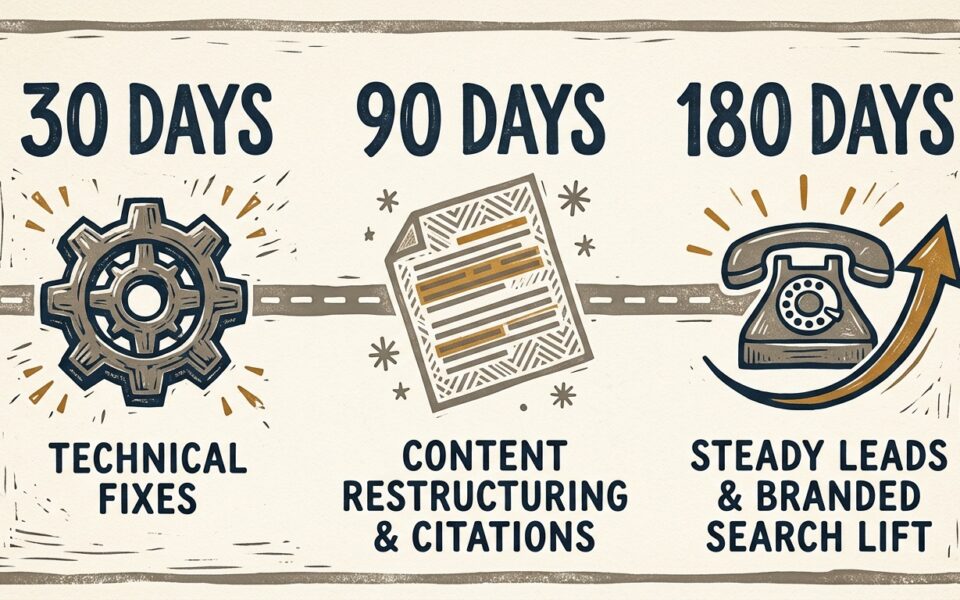
Most small businesses see their first GEO and AEO signals within 4 to 8 weeks. Consistent AI citations on competitive buyer questions usually take 3 to 6 months, and sometimes...
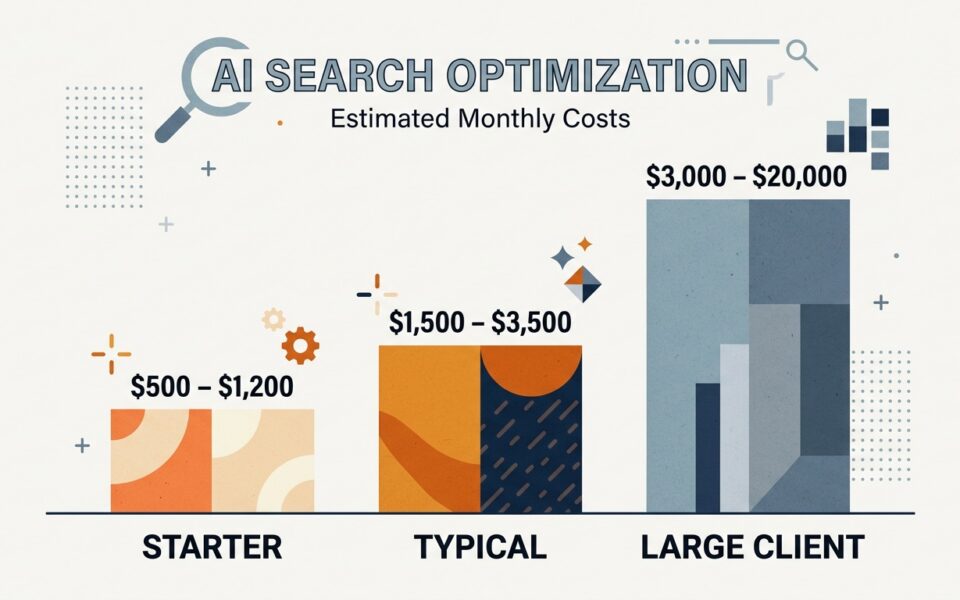
How much does AI search optimization cost a small business? The short answer Most small businesses should budget roughly $1,500 to $3,500 a month for SEO plus AI search work....
If you search "check if ChatGPT mentions my business," the answer is to ask the questions your buyers ask, repeat each one several times, and log whether your name appears. Do the...