AI Skunkworks · Growth Rocket’s AI Development Lab

AI Development Services: Custom AI Applications That Ship, Not Just Demo

We build AI-powered applications that solve real business and operations problems. As marketers and business owners ourselves, we help you build, run and maintain them, so AI becomes a working part of your business and not a pilot that never leaves the slide deck.

  • Claude Certified Architect – Foundations
  • Google Partner
  • Meta Business Partner
  • CXL Certified Optimizer
  • Magento Certified Developers
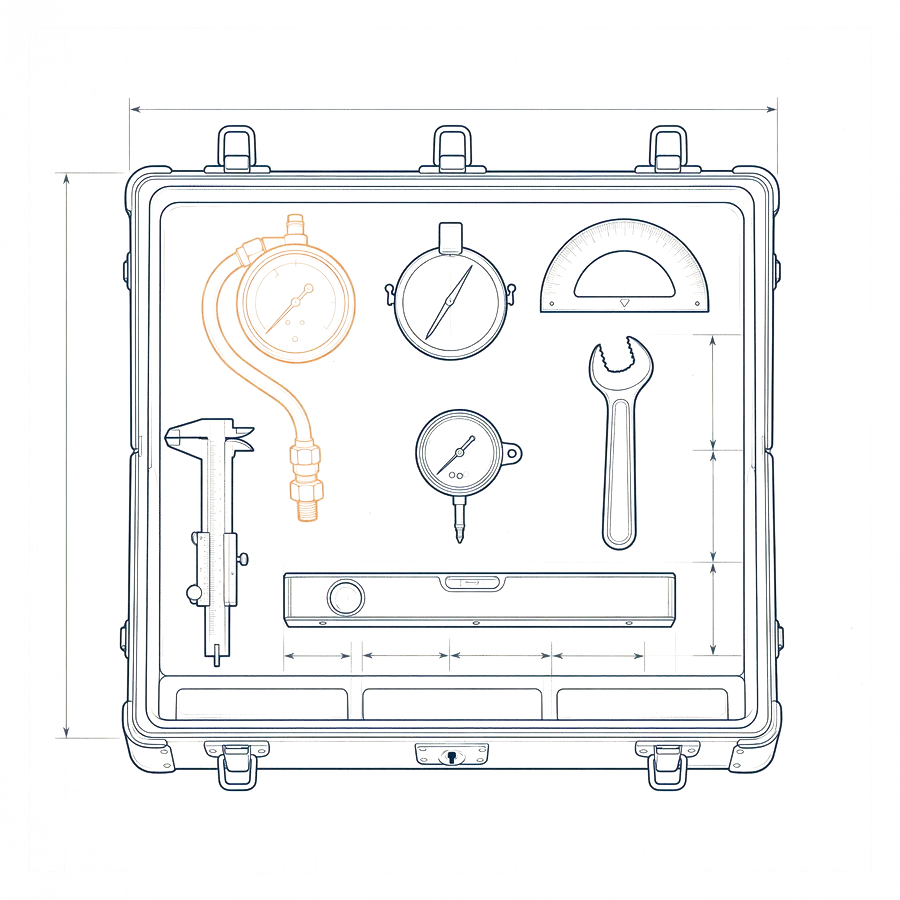
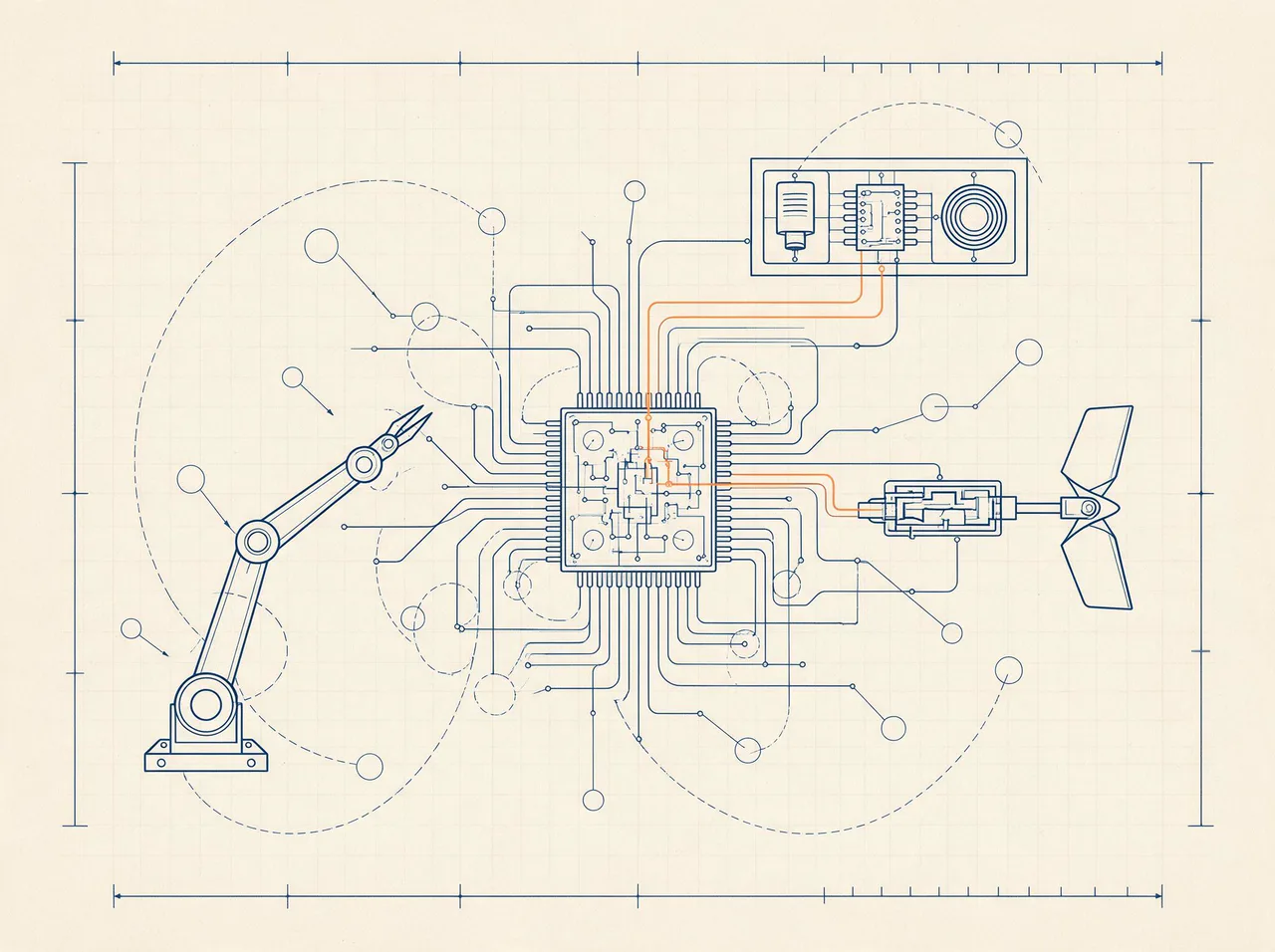
Flight-computer plate with a processor chip wired to sensors, a robotic arm and an actuator with an orange control loop, illustrating an AI application connected to real systems
Plate 13 · Flight computer

What are AI development services, and what is AI application development?

AI application development is building software that uses AI models to do useful work inside your business: answering questions from your own documents, drafting and reviewing content, extracting data, routing tasks or taking actions through your tools. It combines models, your data, integrations and the guardrails that make the results reliable.

The model is the easy part. Anyone can wire a chat box to an API in an afternoon. What makes an AI application worth running is everything around it: clean access to the right data, rules about what it can and cannot do, a way to measure whether it is right, a person who reviews the risky outputs and a plan for cost and change as models improve.

We build in that order. We start from the problem and the people who have it, prove the use case small, then harden it for production. If you are still deciding where AI fits, start with our AI strategy consulting. If you need a conventional product first, see our web application development.

Updated October 2026 · Growth Rocket search team

RAG, agents and automation: what the terms actually mean

RAG lets an AI answer from your own documents. An agent is an AI that can take actions using tools. Automation connects AI steps to your workflows. Most useful business applications combine all three.

The vocabulary around AI development is confusing, and vendors use it loosely. Here is what we mean:

  1. 01Large language model (LLM)the model that reads and writes text, such as Claude, GPT or Gemini.
  2. 02Retrieval-augmented generation (RAG)before the model answers, the system looks up relevant passages from your documents and gives them to the model, so the answer is grounded in your information and can cite sources.
  3. 03Agenta system where a model decides which tools to use, such as searching, reading a file, creating a ticket or sending a draft, in order to complete a task.
  4. 04Workflow automationa fixed sequence of steps in which AI handles the fuzzy parts, such as reading an email, extracting data or drafting a reply, and normal code handles the rest.

The more predictable the task, the more you should rely on workflow and the less on free-roaming agents. We design with that principle: autonomy where it is safe and useful, structure everywhere else.

What kind of AI application do you need?

Most useful applications fall into a handful of patterns. Knowing which one you need keeps the project small and the results predictable.

TypeWhat it doesGood forNeedsRisk to manage
Knowledge assistant (retrieval-augmented) Answers questions from your documents, with sourcesSupport, sales enablement, internal knowledgeClean, current documents and access rulesWrong or outdated answers; leaking restricted content
Workflow automation and agents Carries out multi-step tasks using your toolsOperations, back office, research, schedulingWell-defined steps, tool access and approvalsActions taken in error; runaway cost
Content and document generation Drafts and edits content to a brief and your guidelinesMarketing, reports, proposalsStyle guidance, source material and review stepsBland or inaccurate output without human editing
Extraction and classification Turns messy text and documents into structured dataInvoices, forms, tickets, reviewsExamples of correct output and a validation stepSilent errors on edge cases
Copilot inside an existing product Adds AI help to software your people already useProductivity inside your own appProduct context and a clear boundaryFeature that is impressive but unused

From idea to production: how an AI application grows up

Every build moves through the same stages. Skipping one is how pilots stall.

  1. 01

    Prove the use case

    A small, fast prototype on real examples, to learn whether the idea works before you invest.

  2. 02

    Connect your data

    Ingest the right content, keep it current and respect who is allowed to see what.

  3. 03

    Add guardrails and evaluation

    Define what good looks like, test against it and set limits on what the system can do.

  4. 04

    Keep a human in the loop

    Review steps where the stakes are high, and a clear way to correct and improve outputs.

  5. 05

    Run it

    Monitoring, cost control, model updates and regular re-testing as the world changes.

What our AI application development services include

From the first workshop to a monitored production system.

  • 01

    Use-case discovery and feasibility

    We pick the problem worth solving, check the data exists and define success before building.

  • 02

    Data and knowledge preparation

    Ingestion, cleaning, chunking and permissions so the system works from the right information.

  • 03

    LLM application development

    Assistants, copilots and automations built on Claude, OpenAI, Gemini or other models, chosen for the job.

  • 04

    Retrieval and search

    Semantic search over your documents, with sources and ranking that you can inspect.

  • 05

    Agents and tool use

    Systems that take actions in your tools, with approvals and limits that you set.

  • 06

    Human-in-the-loop interfaces

    Review and editing screens so people stay in control of what goes out.

  • 07

    Evaluation and guardrails

    Test sets, quality checks and safety limits that run every time the system changes.

  • 08

    Integrations

    Your CRM, helpdesk, calendar, storage and other systems connected securely.

  • 09

    Deployment and monitoring

    Production hosting, logging, cost tracking and alerts.

  • 10

    Training and handover

    Documentation and training so your team can run it, or ongoing support from ours.

AI automation services: where AI pays back first

AI pays back fastest on repetitive, text-heavy work with clear rules and a human check: support triage, document processing, research, reporting and first drafts of routine content.

“AI automation services” is a popular search, and the temptation is to automate everything. We look for tasks with three traits: they are frequent, they involve reading or writing text, and a mistake can be caught cheaply.

Typical early wins include classifying and routing support tickets, extracting fields from invoices and forms, summarizing meetings and sending the follow-ups, drafting responses from a knowledge base for an agent to approve, producing weekly reports from data, and preparing research briefs.

We scope each one by volume, accuracy needed and review effort, then pilot it on real examples. If the numbers do not work, we tell you and move on.
Models and tools we build with

We choose the model for the job, and design so you can switch as the field moves.

  • Claude

    Strong at writing, reasoning over long documents and careful tool use. Our team includes a Claude Certified Architect.

  • OpenAI models

    A broad family of general and reasoning models with a large tool ecosystem.

  • Gemini

    Google’s models, useful for multimodal work and for teams on Google Cloud.

  • Open and regional models

    Open-weight and other models, such as Kimi, where cost, privacy or control matter most.

  • Vector search and databases

    PostgreSQL with pgvector and other stores for retrieval over your own data.

  • Evaluation and monitoring

    Test sets, scoring and logging so quality is measured, not assumed.

What we won’t do

  • We don’t sell autonomy we can’t test.If we cannot measure whether it works, it does not go into production. We start with assisted workflows and earn trust before adding independence.
  • We don’t build AI where a rule would do.Some problems need a simple script or a better form. We will tell you.
  • We don’t lock you in.The code, prompts and data belong to you, and the design lets you change models.
  • We don’t move your data without telling you.We agree what leaves your environment, which providers see it and how it is retained, before we start.

We build and run our own

Two AI platforms we use inside Growth Rocket every day. The screens below are recreations with fictional data, drawn from the real products.

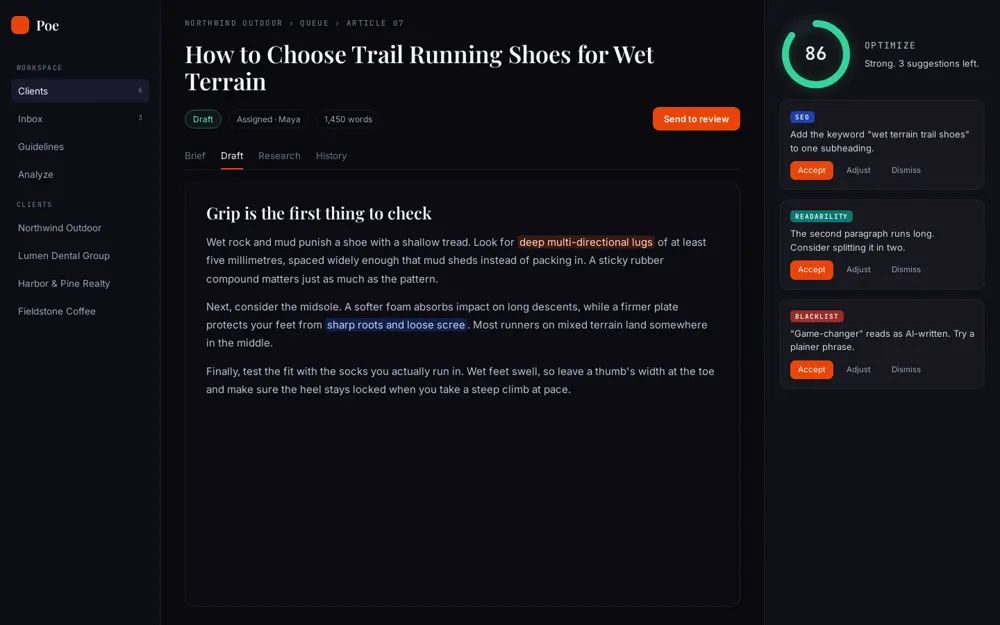
  • Poe: AI content hub (stylised screen, fictional data)
    AI content hub

    Poe

    Takes articles from a client-approved calendar through live research, AI drafting and human editing. It checks keyword coverage, length and each client’s guidelines, and works with Claude, OpenAI and Kimi.

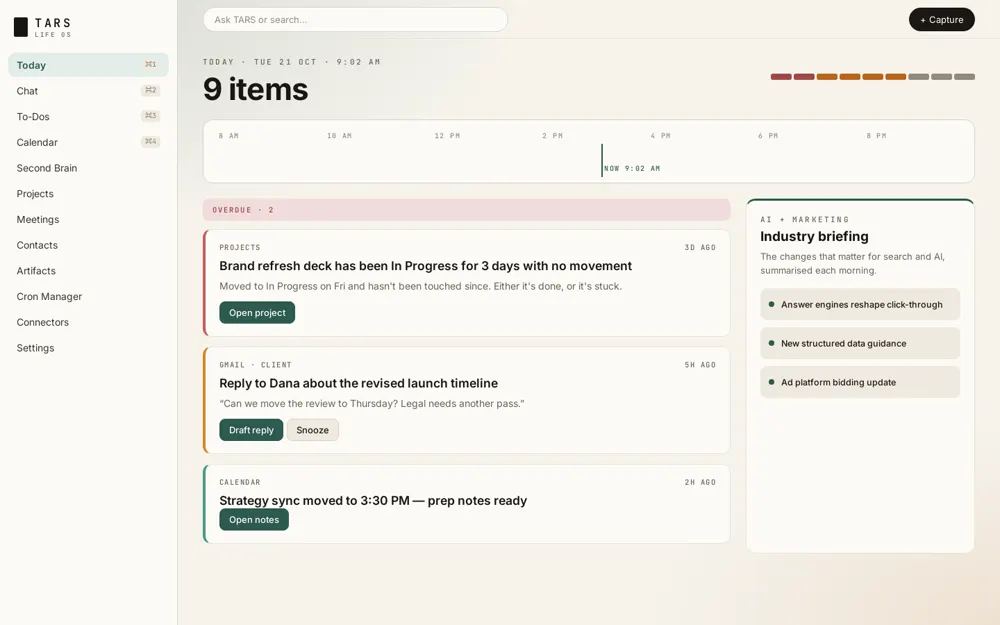
  • TARS: AI operating system (stylised screen, fictional data)
    AI operating system

    TARS

    A multi-tenant, high-context productivity assistant that allows our teams to always be on top of tasks based on signals across their work surfaces. TARS processes emails, meeting transcriptions and documents and prepares and executes complex, long-horizon tasks using multiple frontier models.

How we run an AI project

Small steps, real examples, and a decision at every stage.

  1. 01

    Frame

    Define the problem, the users, the data and what success looks like.

  2. 02

    Prototype

    A working version on real examples, quickly, to learn what is possible.

  3. 03

    Harden

    Evaluation, guardrails, permissions and review steps.

  4. 04

    Launch

    A managed rollout to a small group, then wider.

  5. 05

    Run and improve

    Monitoring, cost control and regular retesting.

Why teams choose Growth Rocket for AI

A boutique lab with enterprise discipline, run by people who use these tools every day.

  1. 01

    Practitioners, not theorists

    We run AI platforms for our own work, and we know what breaks.

  2. 02

    Marketers and business owners ourselves

    We start from the business problem, not the model.

  3. 03

    Certified in the tools

    Our team includes a Claude Certified Architect.

  4. 04

    Full-stack delivery

    Web, data, search and marketing expertise under one roof, so the application fits the business.

  5. 05

    Honest about limits

    We tell you where AI will not pay off, and we measure everything else.

Certified, and kept current

How to choose an AI development company: six questions to ask

Every software shop now offers AI. These questions show who has actually shipped it.

We answer every one of these on a first call.

  1. What AI systems have you built and run in production?

    Ask for real examples, what they do and how they are monitored. Demos are not the same as production systems.

  2. How do you measure quality?

    Look for test sets, scoring and regression checks that run when anything changes.

  3. How do you handle our data?

    Ask where it goes, which providers see it, how it is retained and how permissions work.

  4. Which models do you use, and can we switch?

    A good partner chooses for the job and designs so you can change.

  5. Where do humans stay in the loop?

    The answer should identify the risky outputs and the review steps.

  6. Do we own what you build?

    You should own the code, prompts and configuration.

AI project mistakes we help you avoid

Most AI projects stall for avoidable reasons.

  • A demo that is not a systemWe design for production from the first prototype: data, permissions, evaluation and monitoring.
  • No way to measure qualityWe build test sets and scoring early, so improvements are real and regressions are caught.
  • Ignoring permissions and privacyWe design access rules and data handling with your team before any data moves.
  • No human review where it mattersWe add review steps to risky outputs and make it easy to correct them.
  • Unbounded costWe set budgets, choose the smallest model that does the job and track spend per task.
  • Solving the wrong problemWe start with the workflow and the people, and pick use cases that pay back.

AI application development: frequently asked questions

What is AI application development?

It is building software that uses AI models to do useful work: answering questions from your documents, drafting content, extracting data, automating multi-step tasks or assisting people inside your tools, with the testing and guardrails that make it dependable.

How long does it take to build an AI application?

A focused prototype can take a few weeks. A hardened production system takes longer, depending on data, integrations and review requirements. We give a timeline after framing the problem.

What is RAG?

Retrieval-augmented generation (RAG) means the AI looks up relevant passages from your own documents before it answers, and cites them. It keeps answers grounded in your information instead of the model’s general knowledge.

Will our data be used to train AI models?

We agree data handling with you before we start and choose providers and settings accordingly. We can design applications so sensitive content stays in your environment.

Which AI model do you use?

We choose for the job: Claude, OpenAI, Gemini or open models, based on quality, cost and privacy. We design so you can switch as models change.

Can AI agents work without supervision?

For narrow, well-tested tasks, yes. For anything with real consequences we add approvals and limits, and widen the agent’s independence only as it proves itself.

Do we own what you build?

Yes. The code, prompts and configuration belong to you.

Can you help us decide where to use AI first?

Yes. Our AI strategy consulting finds the use cases worth building, and we can build the first one.

What are AI development services?

AI development services cover designing and building software that uses AI models: assistants, agents, document processing, content tools and automations, plus the data work, testing and deployment that make them reliable.

What is the difference between AI development and AI consulting?

Consulting decides what to build and why: readiness, use cases and a roadmap. Development builds it. We do both, and you can use either alone. See our AI strategy consulting.

What is an AI agent?

An AI agent is a system in which a model decides which tools to use, such as searching, reading or creating records, in order to complete a task. We add limits and approvals so agents act safely.

Ready for liftoff?

Tell us the problem you want AI to help with. We will tell you honestly whether it fits and what we would build first.

    Work With Us