Luke · built in Growth Rocket's AI Skunkworks
Catch the broken layoutbefore your client does.
Luke checks your site at every screen width, pinpoints exactly what breaks and where, re-checks after every update, and writes the bug report from what you circle.
License Luke and you get a testing kit maintained and kept current by Growth Rocket: the layout checks, the device list and the screen-size data it runs on.


01Check every width
A few devices show you a few widths. Layouts break in between.
Test on a handful of devices and you've checked a handful of widths; your visitors bring every size in between. Luke renders the page at every width from 320 to 1440 px, 40 px apart, and measures each one. Broken widths are grouped into ranges described in plain words, and any range opens in a live device view with one click.
- Range
- 320 → 1440 px
- Step
- Every 40 px · 29 widths
- Finds
- The ranges where the layout breaks, in plain words
- Then
- One click to a live device view at that width
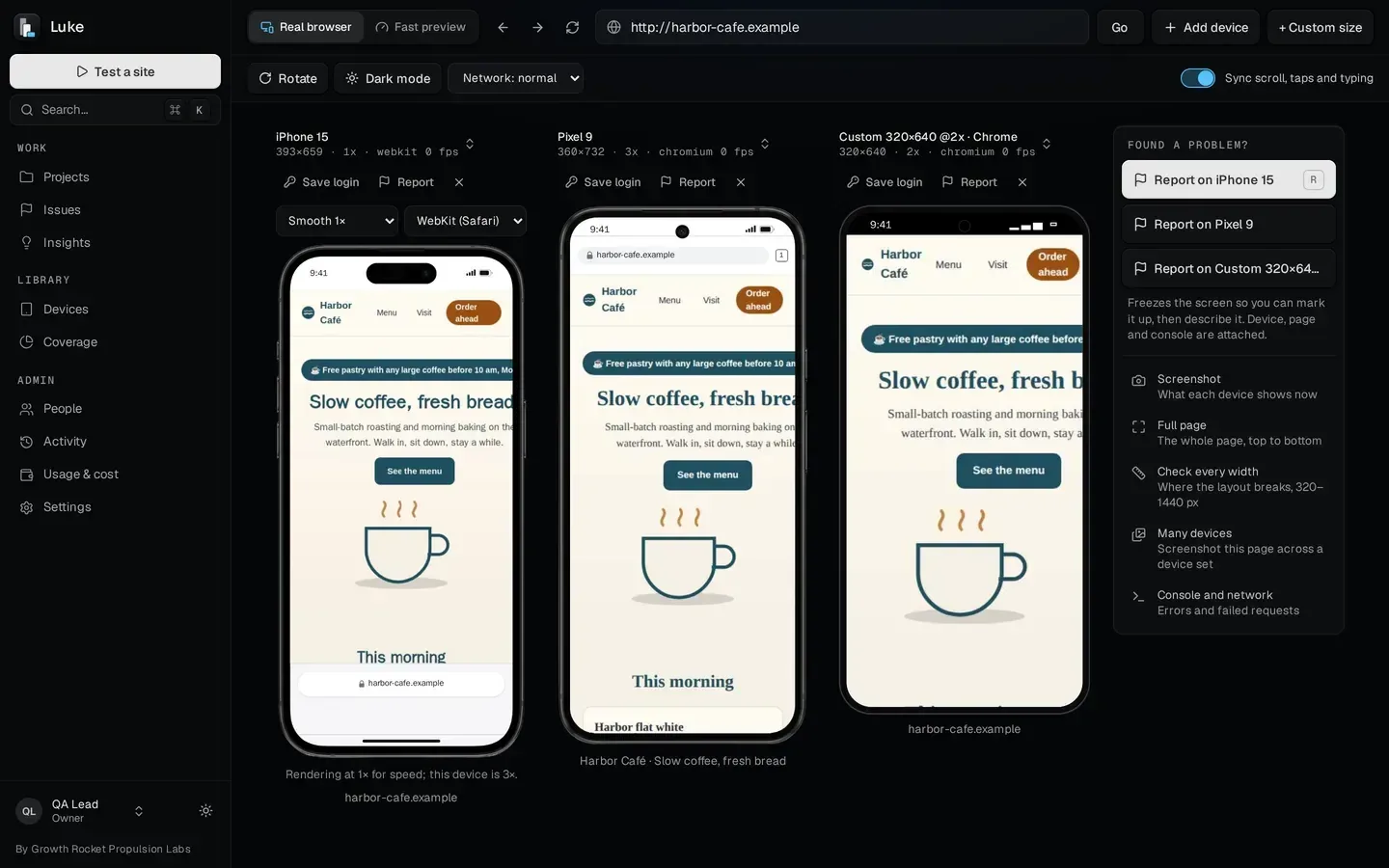
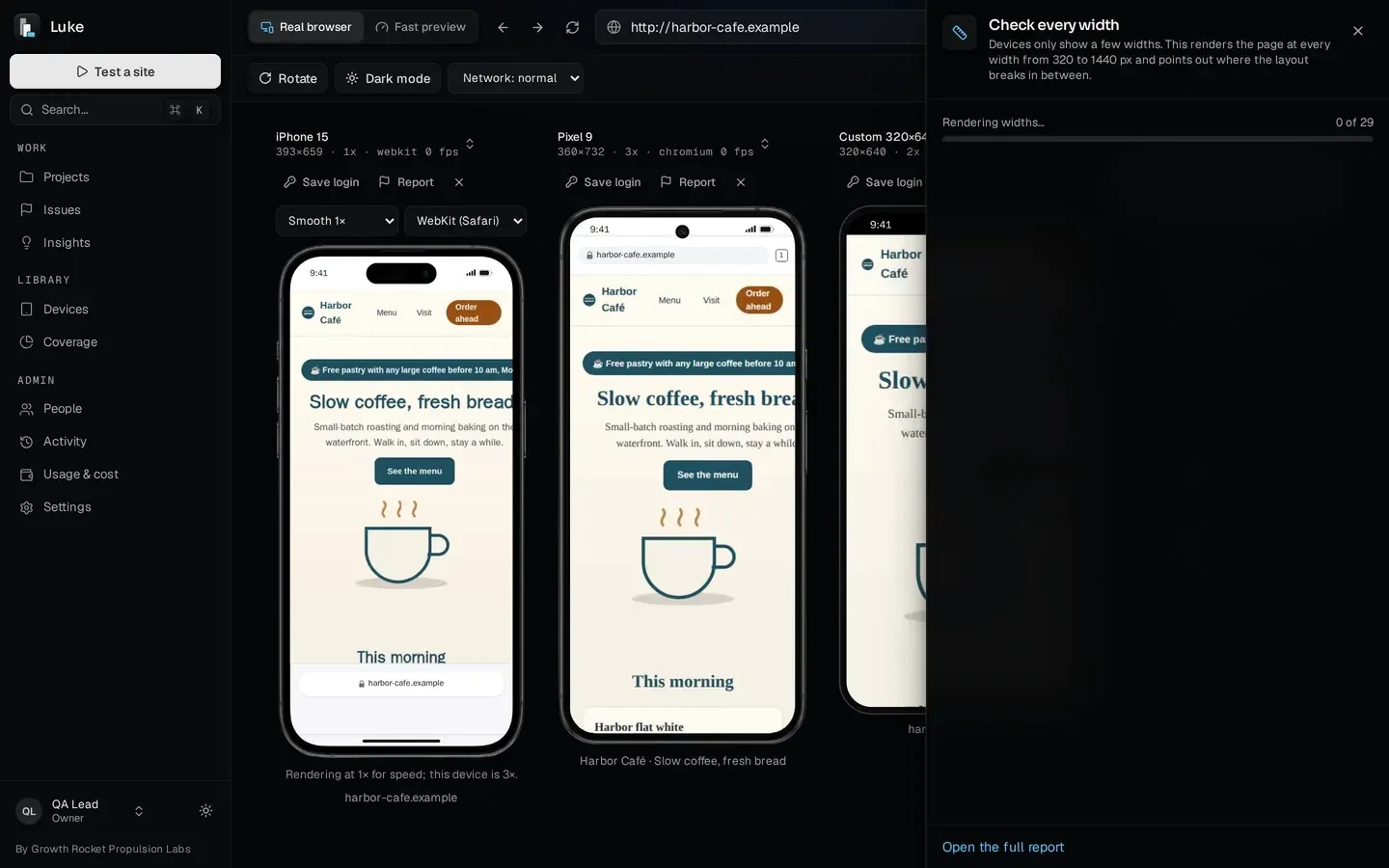
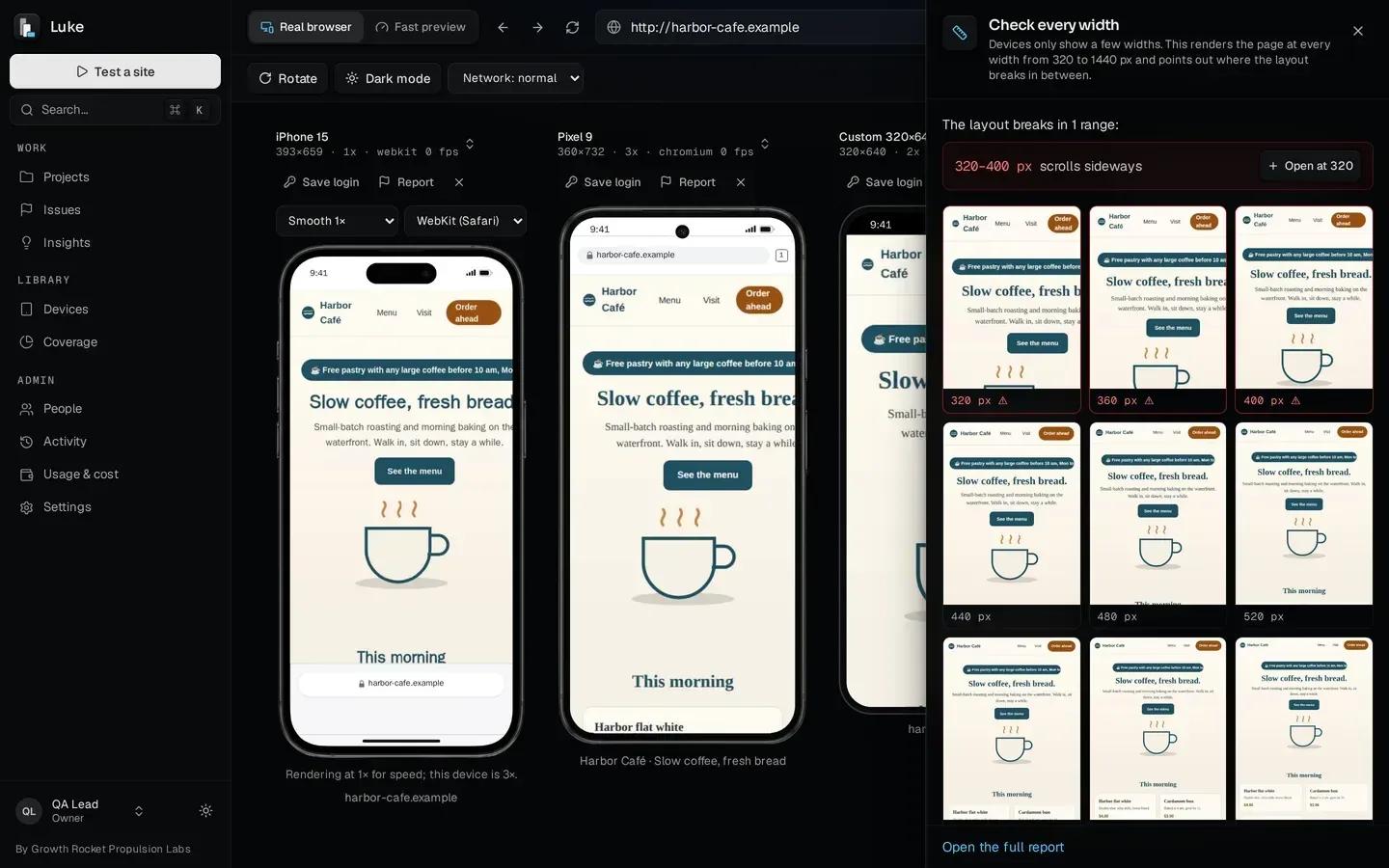
Devices show a few widths. Luke checks every one in between.
02Mark it, the AI writes the bug
Circle the problem, and the AI writes the report from your marks.
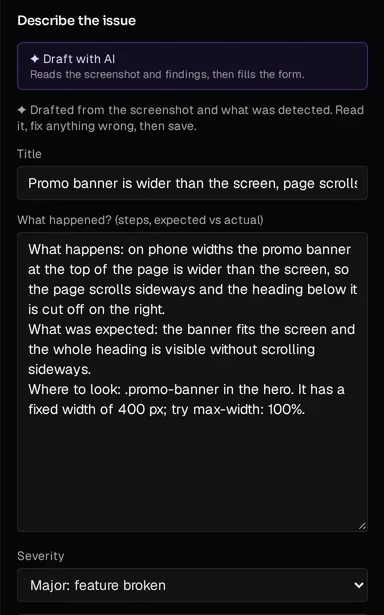
Report from any live device view and mark up the screenshot first: a circle or box, an arrow, a note, the pen, or redact anything private. Then Luke's AI drafts the title, the severity and the description from what you marked, in three parts: what happens, what was expected and where to look. Device, page, viewport, console and network come attached automatically, and Luke warns you when a bug looks already reported. The AI only describes what you marked, and you review and edit the draft before saving.
- Mark up
- Box, arrow, text, pen, redact · keyboard keys for each
- ✦ AI draft
- Title, severity, what happens, expected, where to look
- Attached
- Device, page, viewport, console and network
- Before saving
- A duplicate warning, and your edits
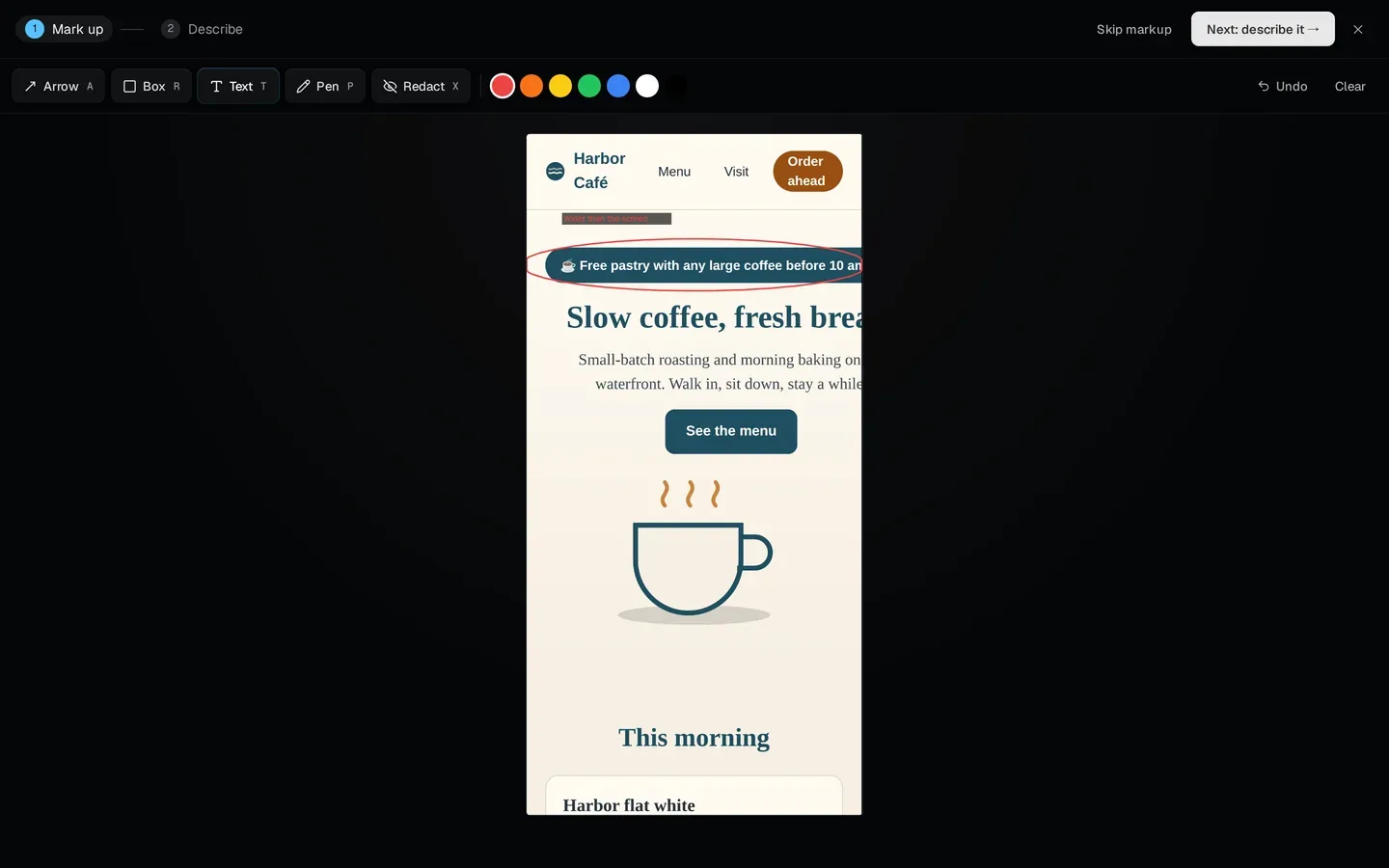
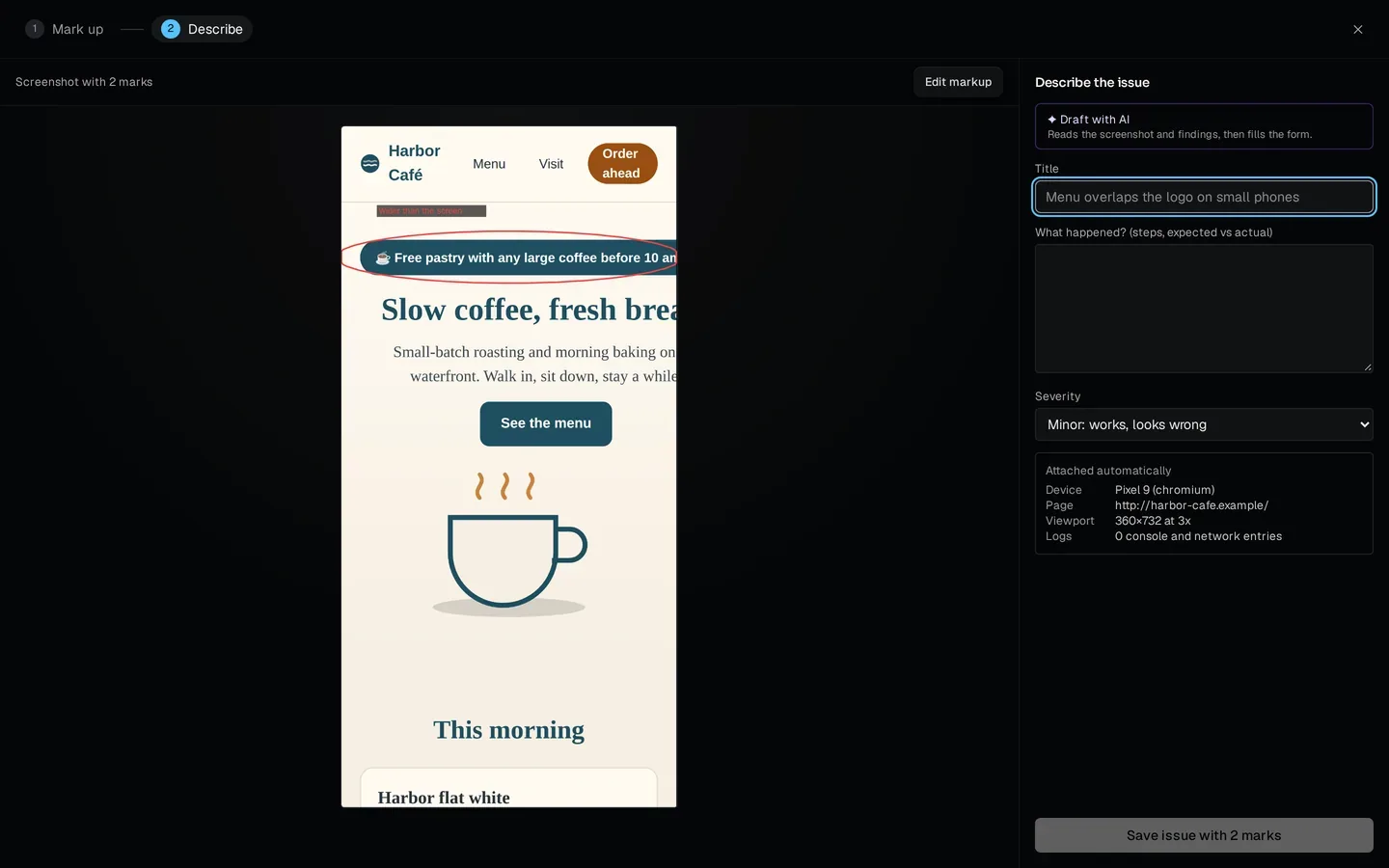
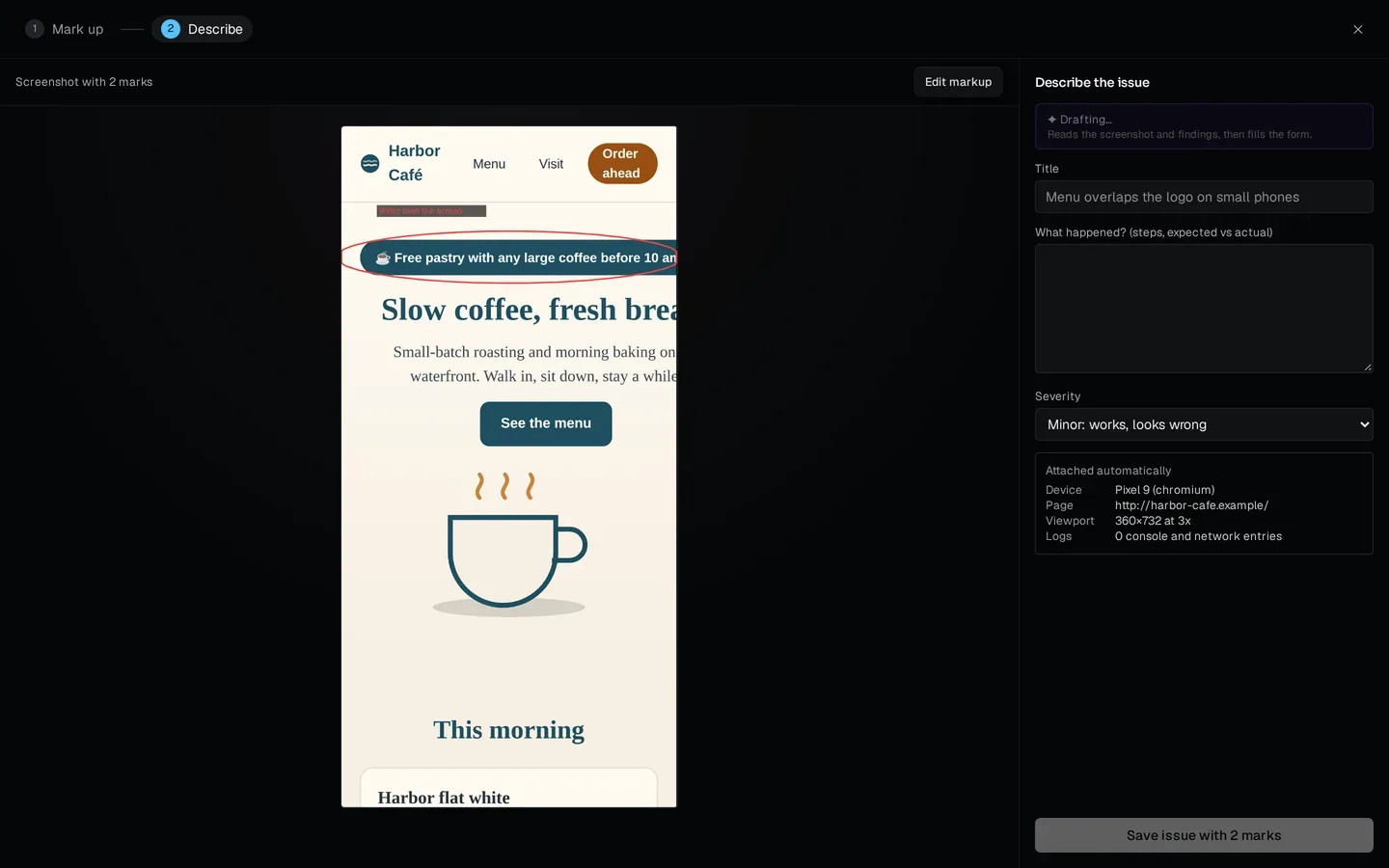
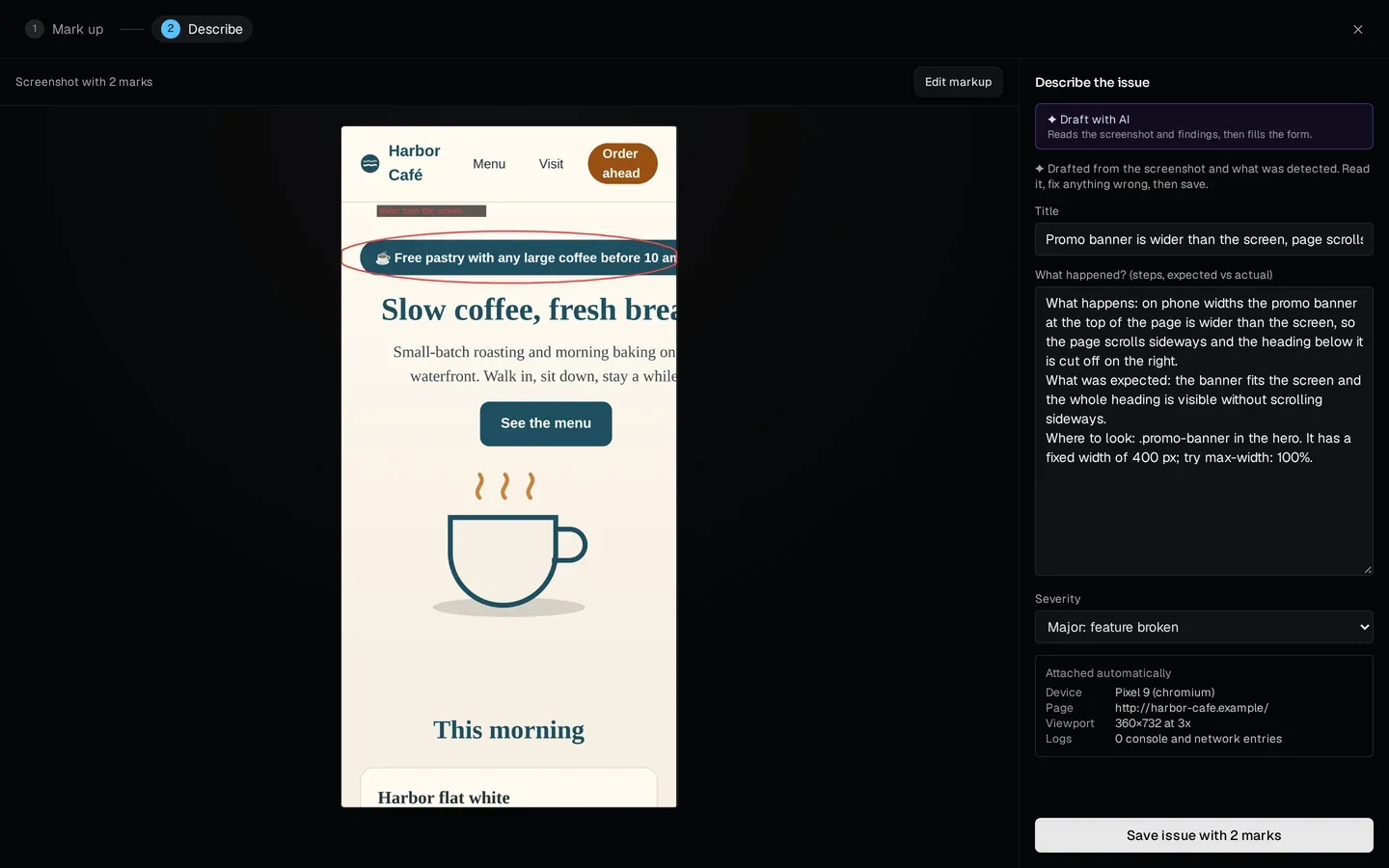
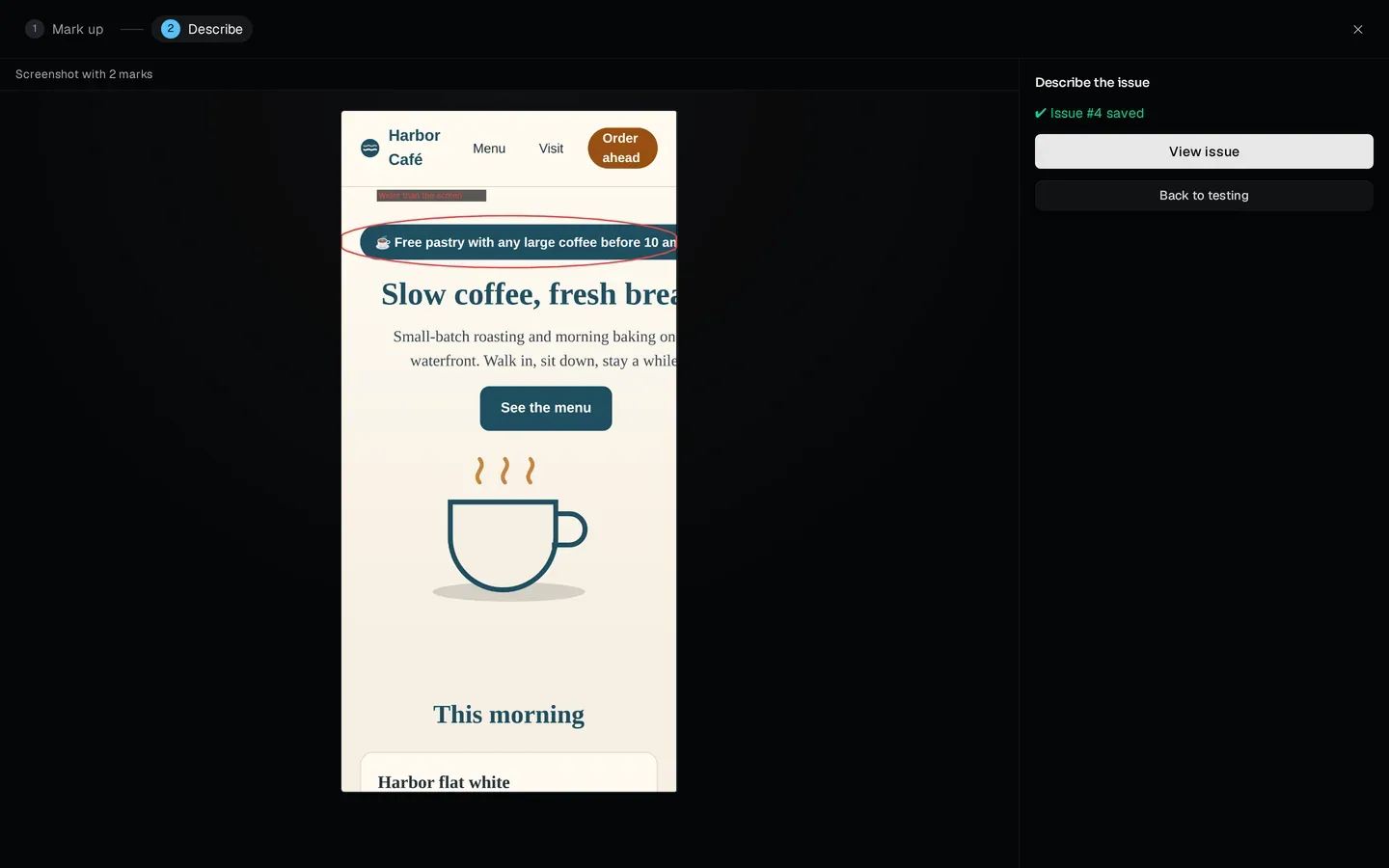
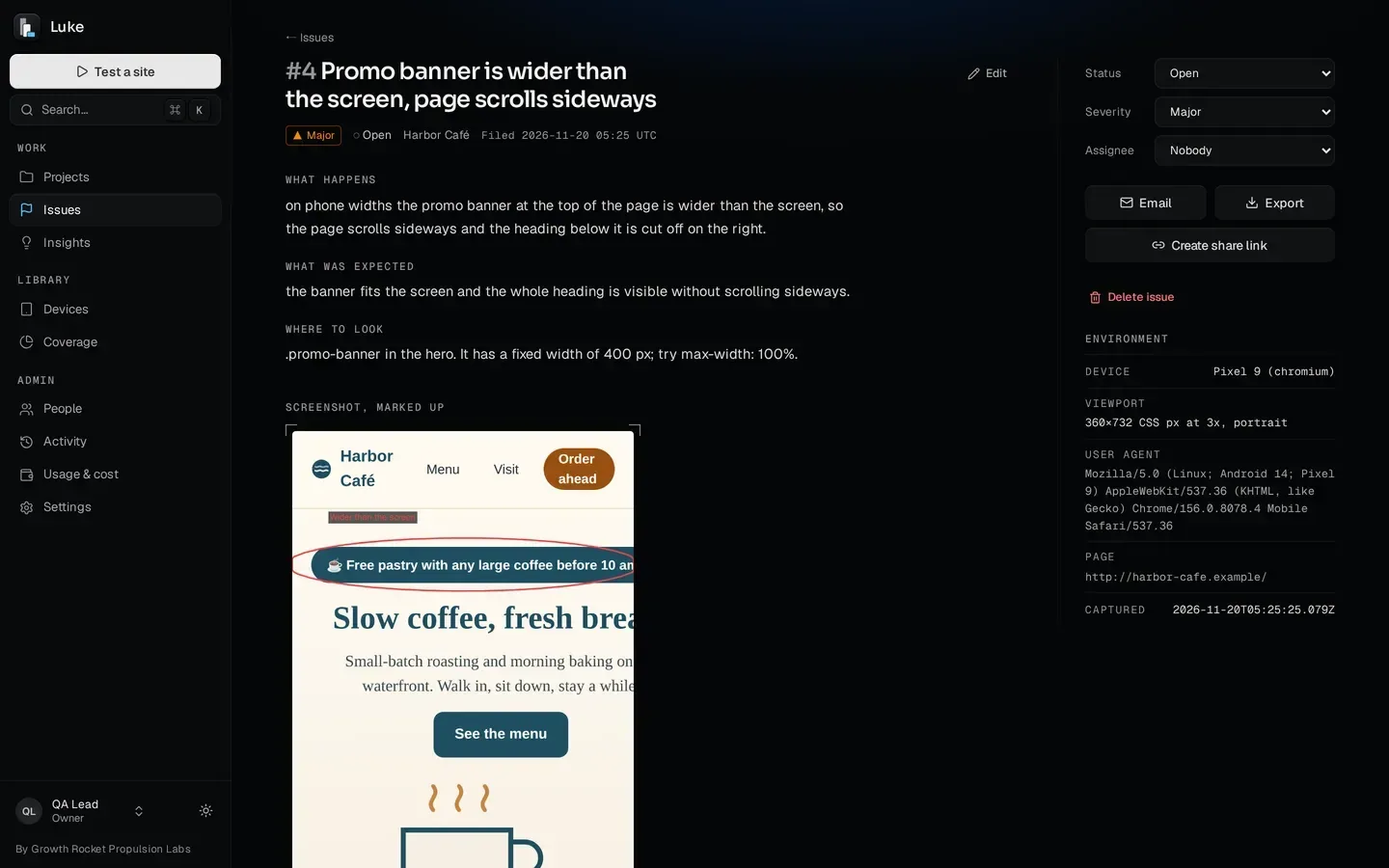
Mark it up. The AI writes it up. You review it.
03The screens your visitors actually use
Pick devices from the screens people use, then check every width between them.
A device list made from habit misses the screens in between. Luke reads monthly screen-width data (StatCounter), shows how much of it your device set covers, and suggests the smallest set of devices that covers 90% of the screens in use. Save it as a device set; Check every width covers the widths between them.
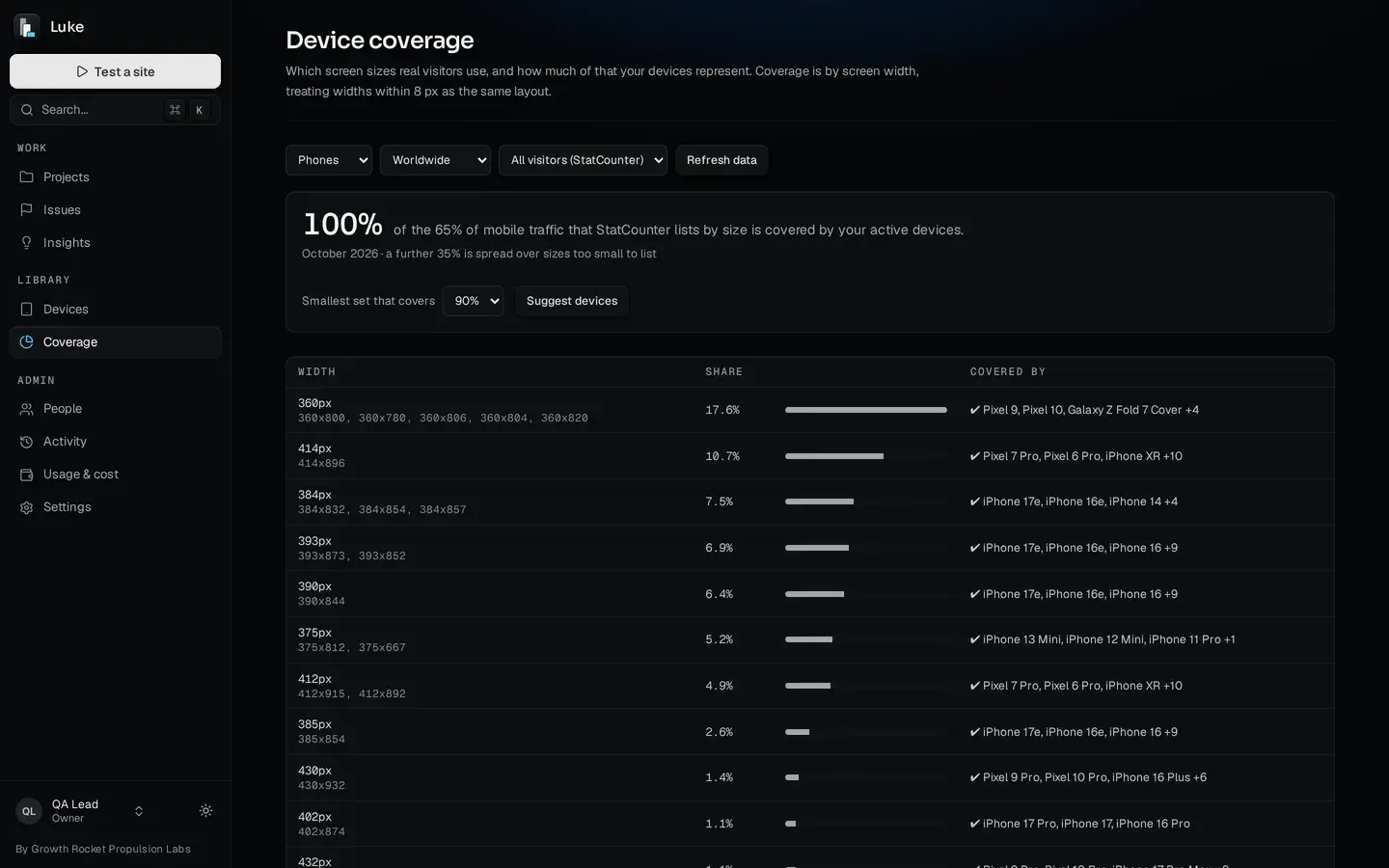
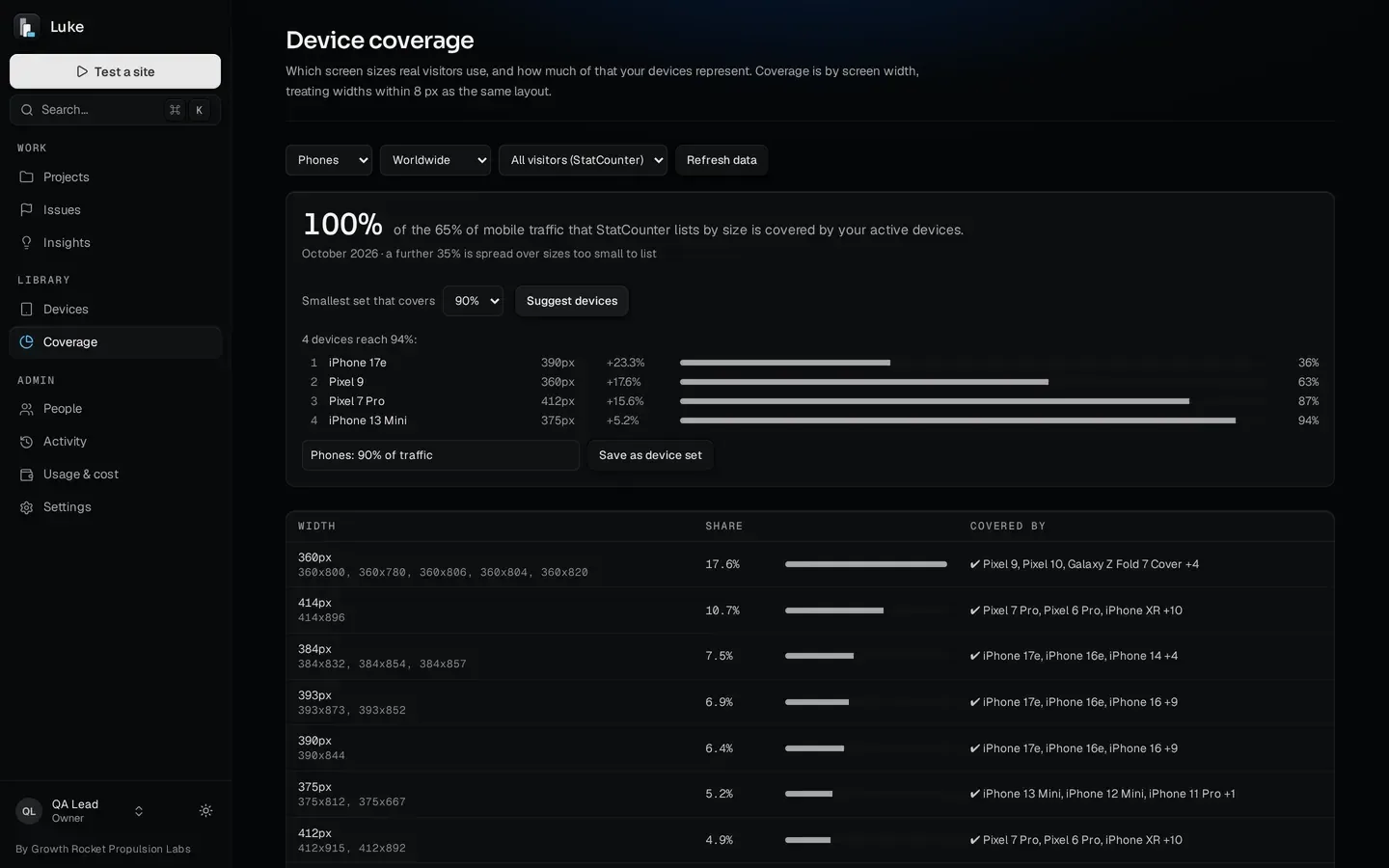
The screens people use, and the widths between them.
04A testing kit Growth Rocket keeps current
You don't just license a testing tool. The kit inside it is maintained and kept current by Growth Rocket.
Anyone who licenses Luke gets the layout checks, the device list and the screen-size data Growth Rocket maintains for its own website work, kept current as new phones, browsers and screen sizes arrive. New devices are picked up by a daily check and approved before they join the library. No off-the-shelf testing cloud comes with an agency's QA practice built in.
- 01 Growth Rocket's website work The checks, devices and screen data we rely on for our own client sites, every day
- 02 The layout checks Tap targets, small and clipped text, overlaps, fixed overlays, placeholder text, upscaled and broken images, zoom disabled, layout shift, sideways scroll, plus WCAG A/AA
- 03 The device list and screen data Phones, tablets, foldables and 26 desktop sizes, a daily check for new devices, and monthly screen-width shares
- 04 Your Luke license All of it built in, and maintained and kept current by Growth Rocket
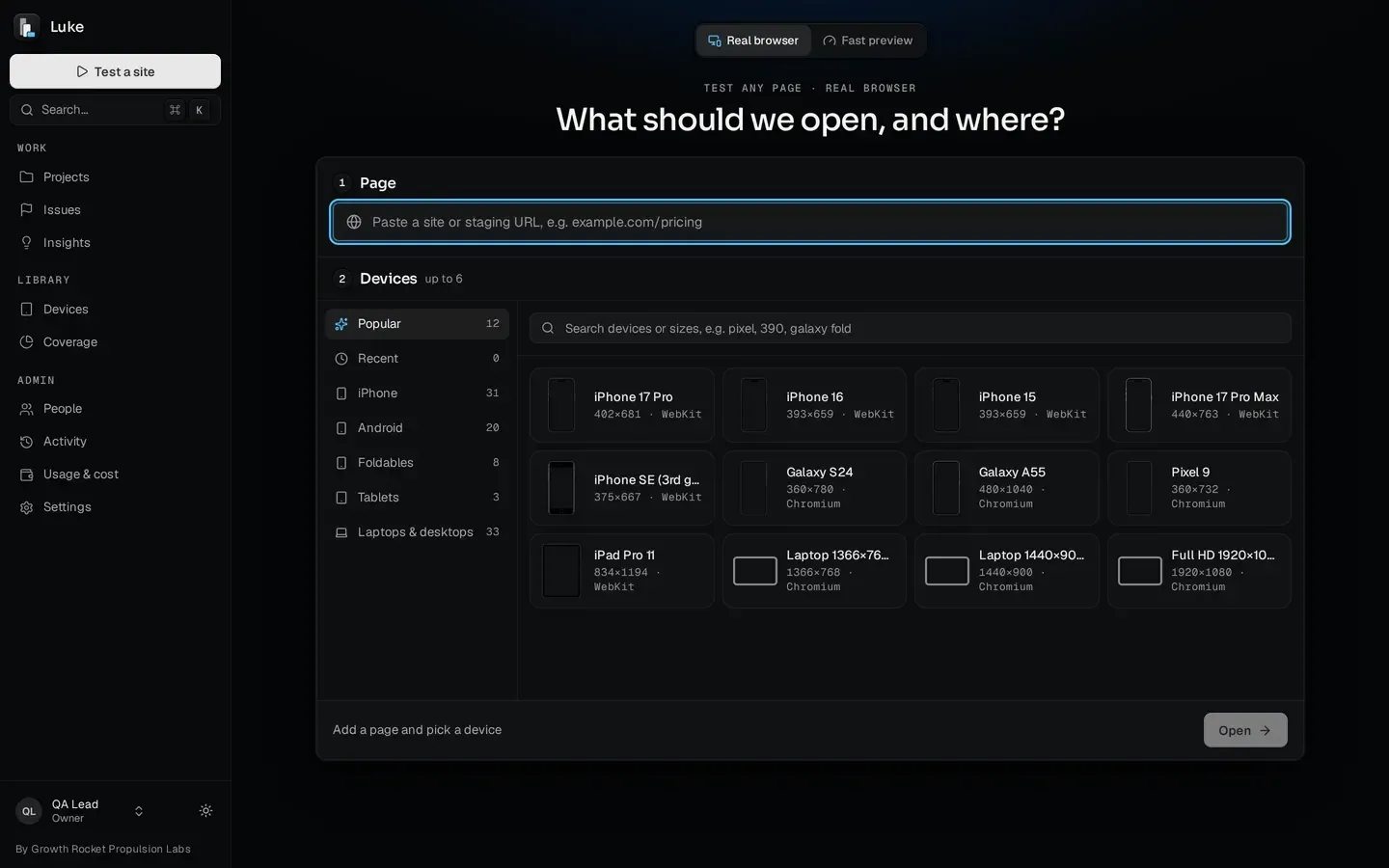
The device list, maintained and kept current by Growth Rocket.
A testing kit Growth Rocket keeps current, in your own Luke. Contact Growth Rocket for licensing
05Live device views
Several devices side by side. One scroll moves them all.
Pick a page and devices in the launcher (it tells you what's missing before you open), and Luke opens live device views in browser engines (Chrome's Chromium, Safari's WebKit and Firefox's), each set up with the device's screen, density and touch. Tap, drag, scroll, type and rotate; sync scrolling, taps and typing across devices; switch to dark mode; slow the network on Chromium; and read each device's console and network log.
Live device views, side by side, in browser engines.
06Every page, every device
Every page on every device, and what's wrong on each, measured.
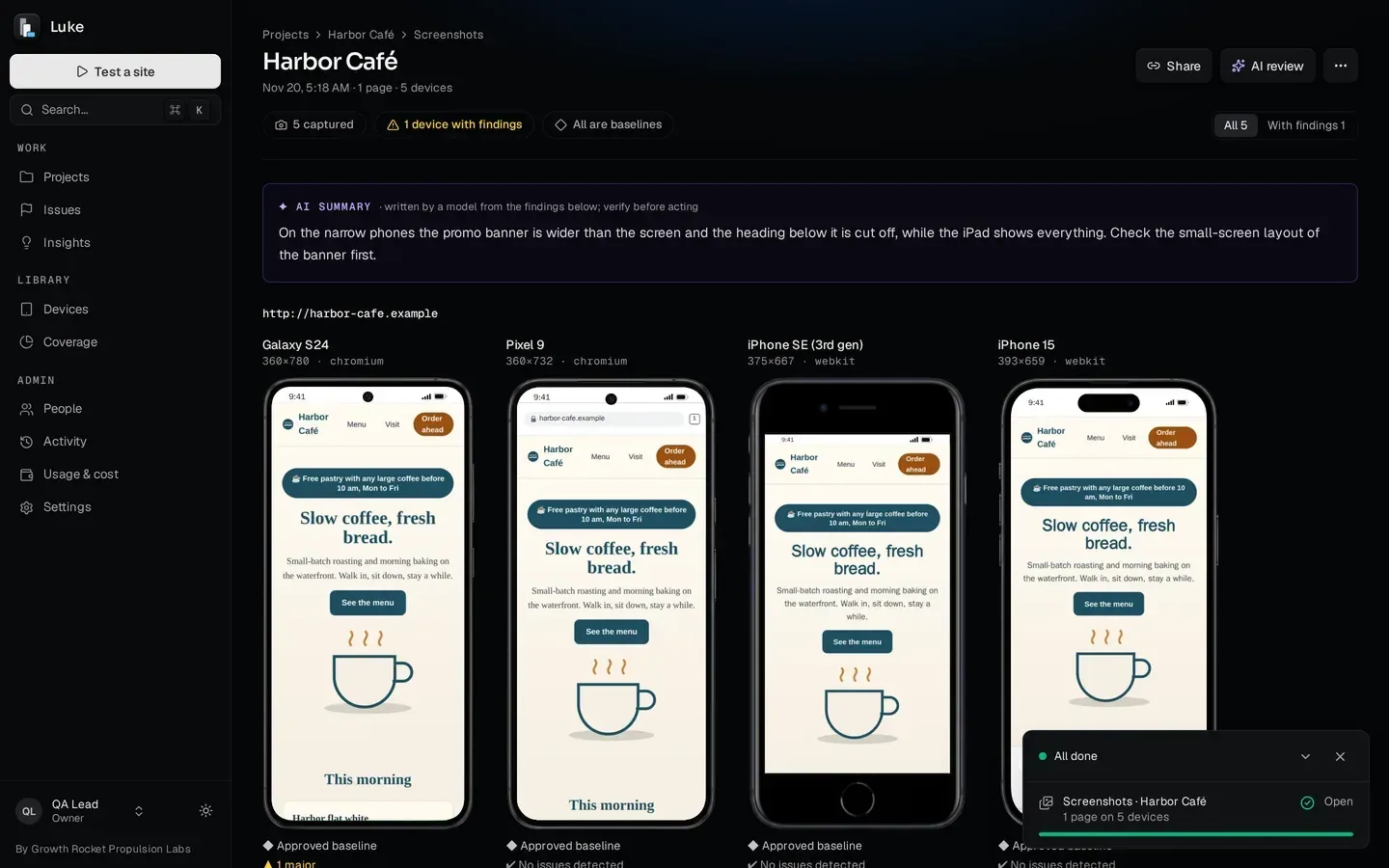
A screenshot run captures your pages on many devices at once, viewport or full page. Then Luke measures every capture: tap targets too small, text too small or clipped, overlaps, fixed overlays, placeholder text left in, upscaled or broken images, zoom disabled, layout shift and sideways scroll, plus WCAG A/AA accessibility checks. Open any shot large, download them all as a ZIP, or open one in a live device view.
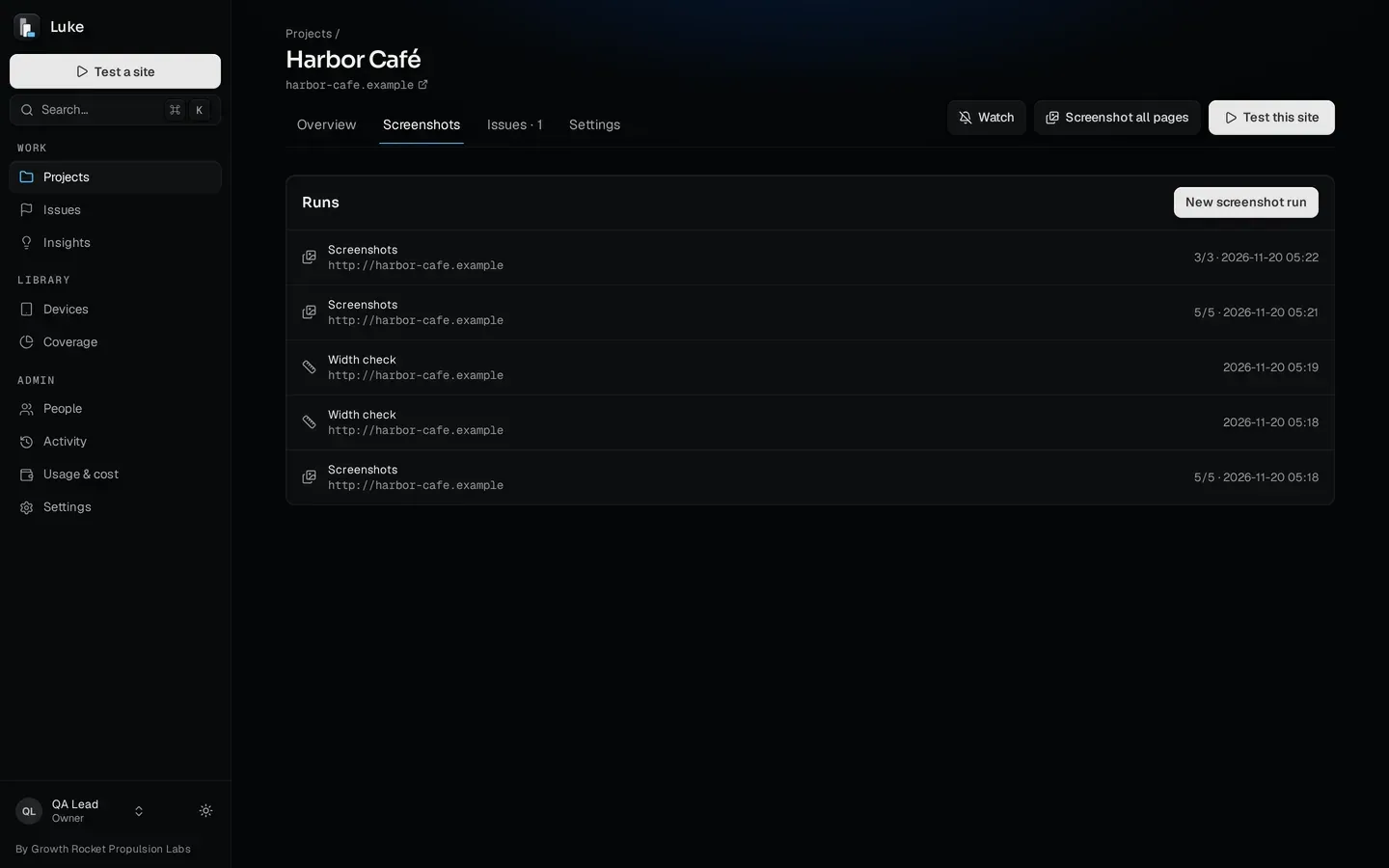
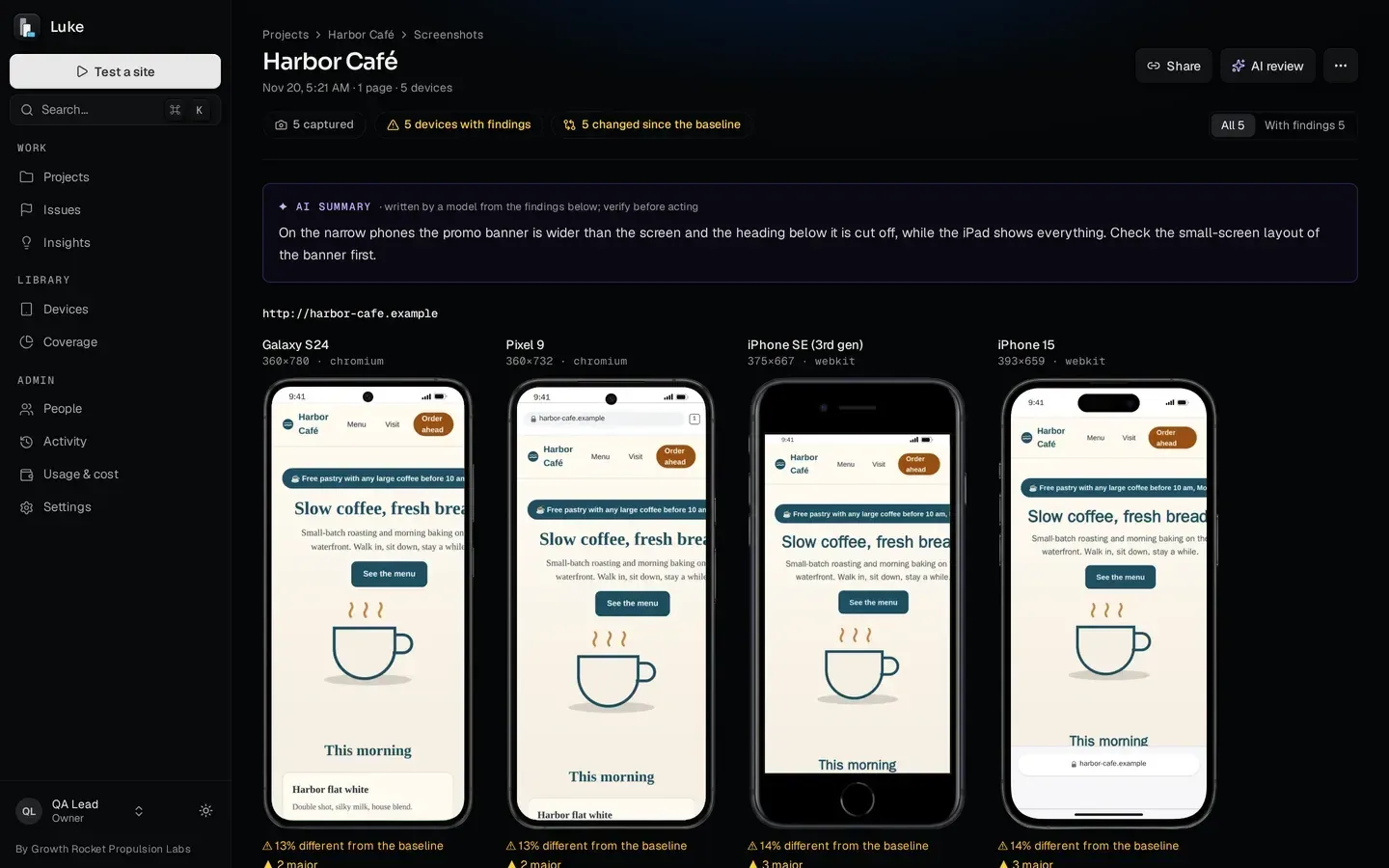
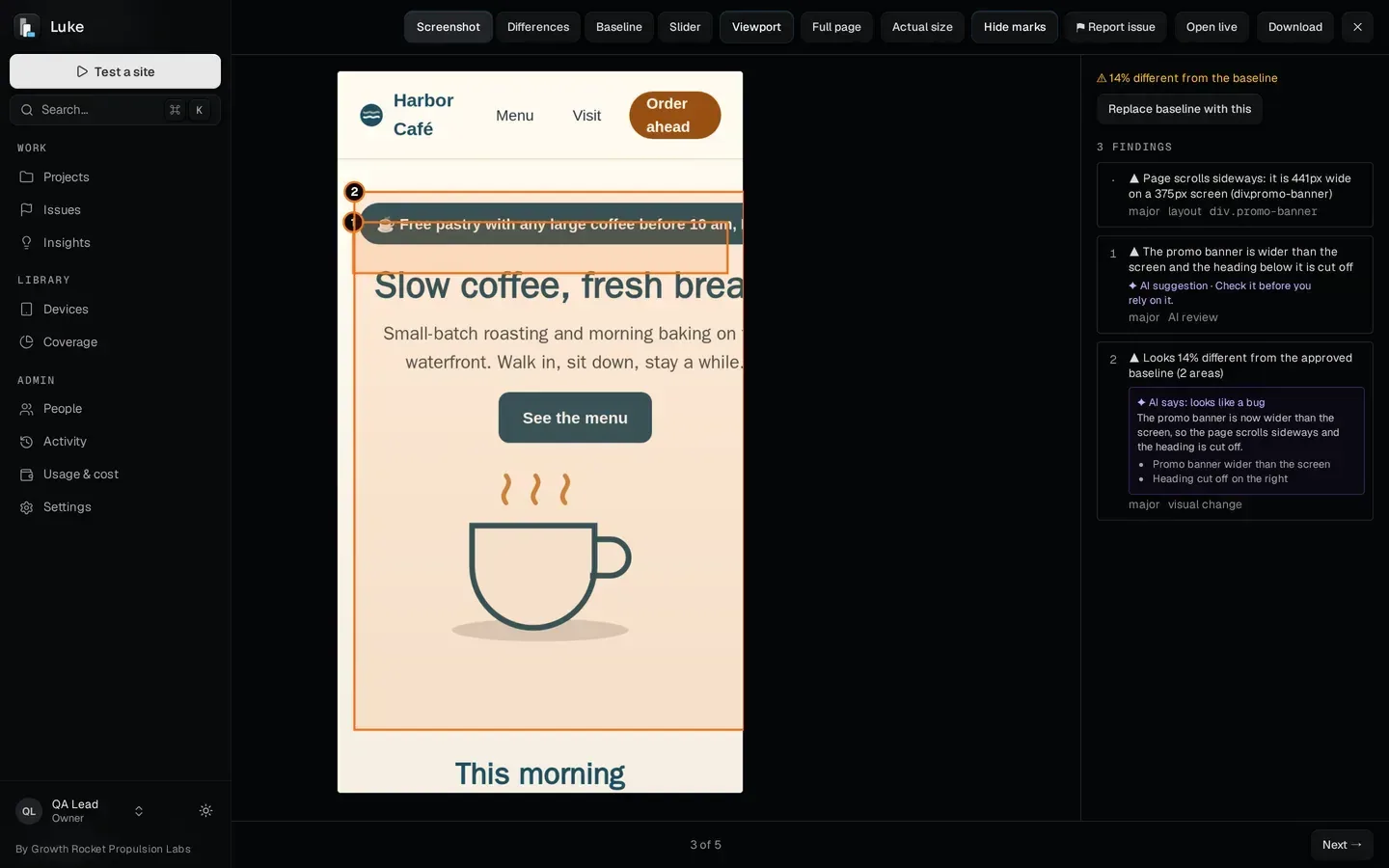
Every page on every device, and what's wrong on each.
07Baselines and every deploy
Approve a baseline once. Every deploy is checked against it.
Approve a screenshot as the baseline and Luke compares each new run with it: the screenshot, the differences, the baseline or a slider between them, with every changed area boxed and graded major, minor or cosmetic. Luke's AI sorts each change into intended, regression or noise and explains it in a sentence.
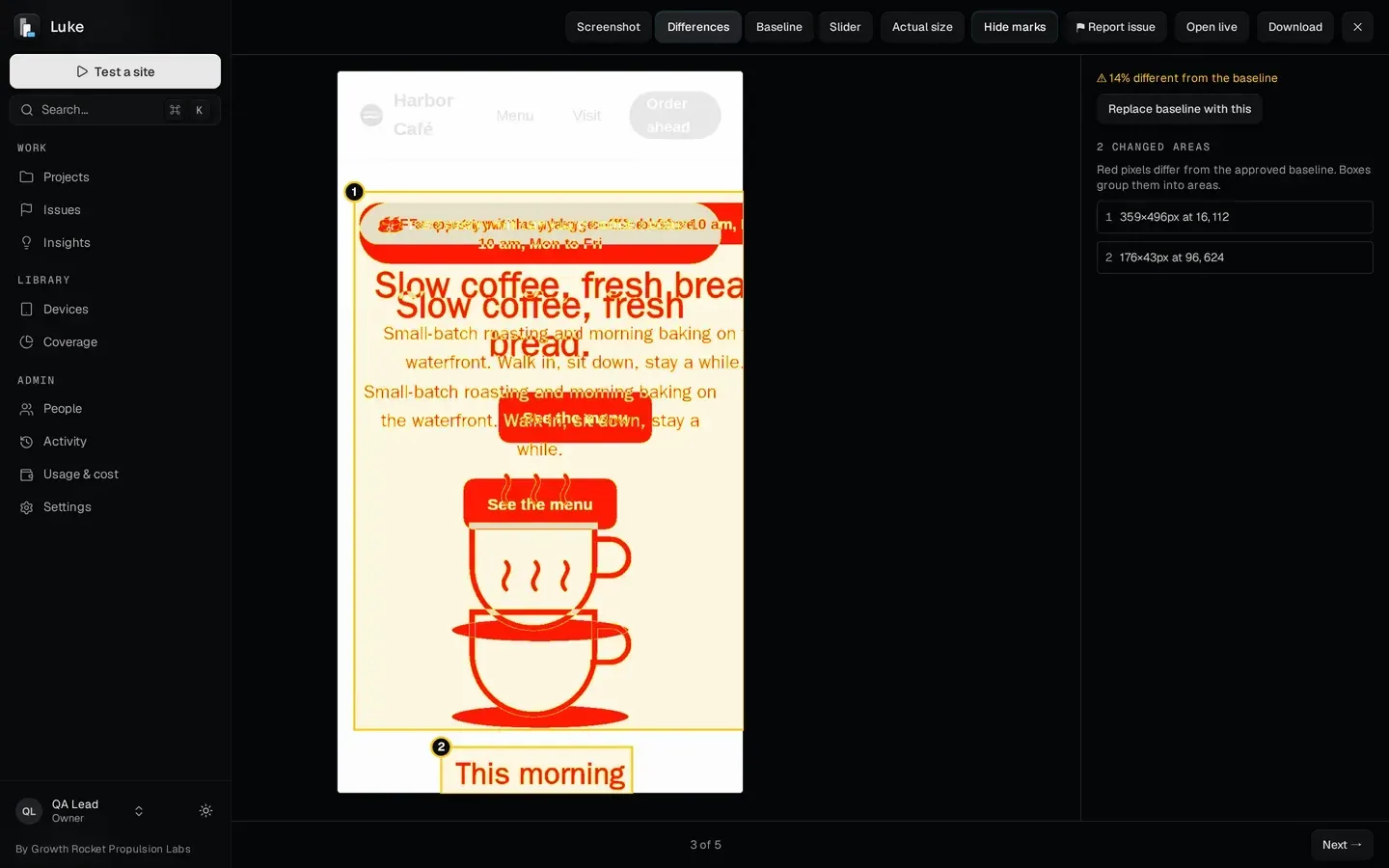
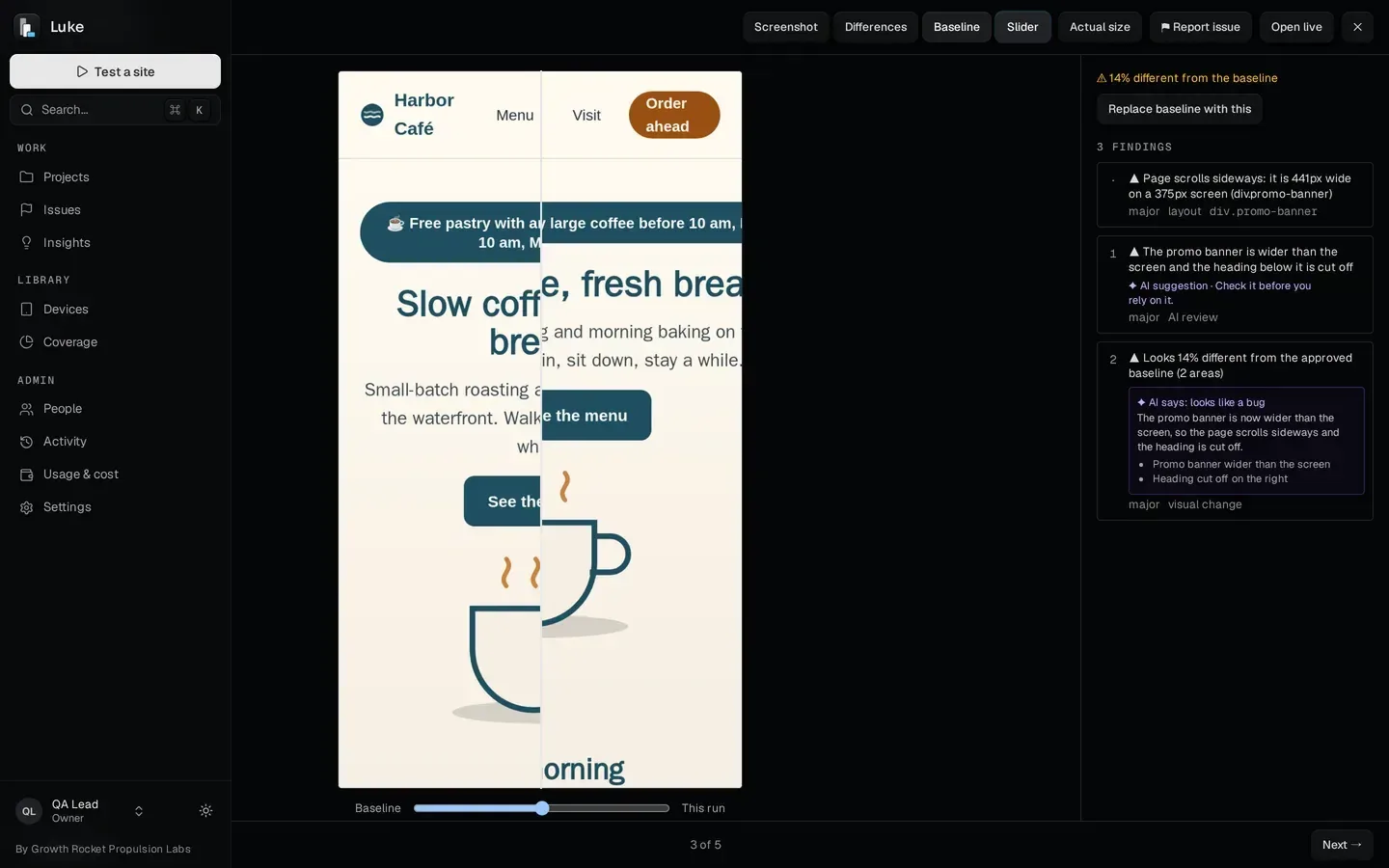
What changed since the approved baseline, and whether it should have.
Runs on a schedule, or after every deploy.
Set a schedule, or point your deploy at Luke's webhook. Each run is compared with the last, and the people watching the project hear only about new issues.
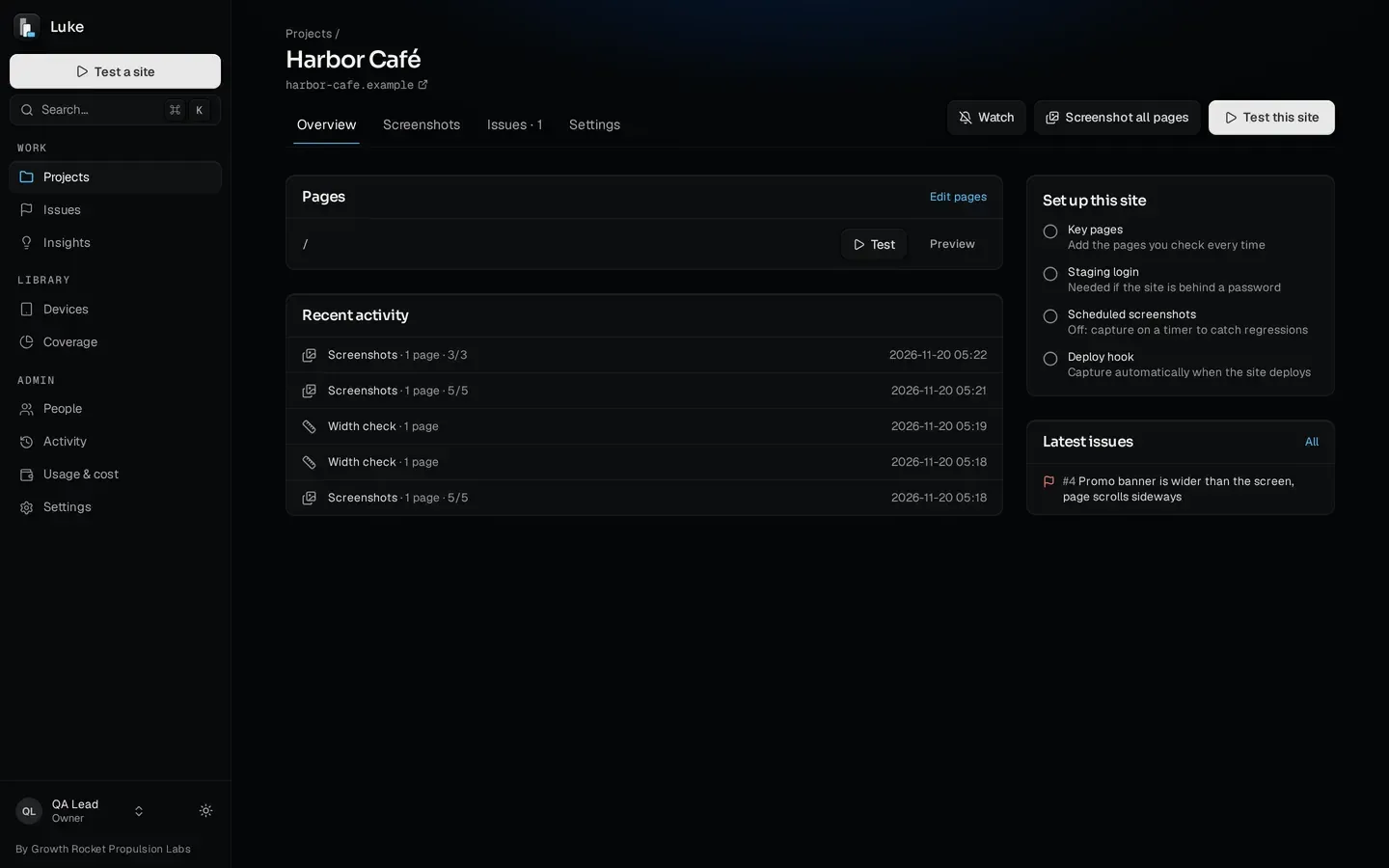
On a schedule, or after every deploy. Watchers hear about new issues.
08One link, two audiences
One link, two audiences: a clean page for your client, the details for your developer.
Share a run, a width check or a set of issues as a clean, read-only page for your client, or a developer page with the technical details, with an expiry date you set: 7, 30 or 90 days, or until you stop it. See how many times it was viewed and send it in a branded email. Bugs also export as Markdown, a Jira-ready CSV, a PDF, a ZIP with the images, or an email with the PDF attached.
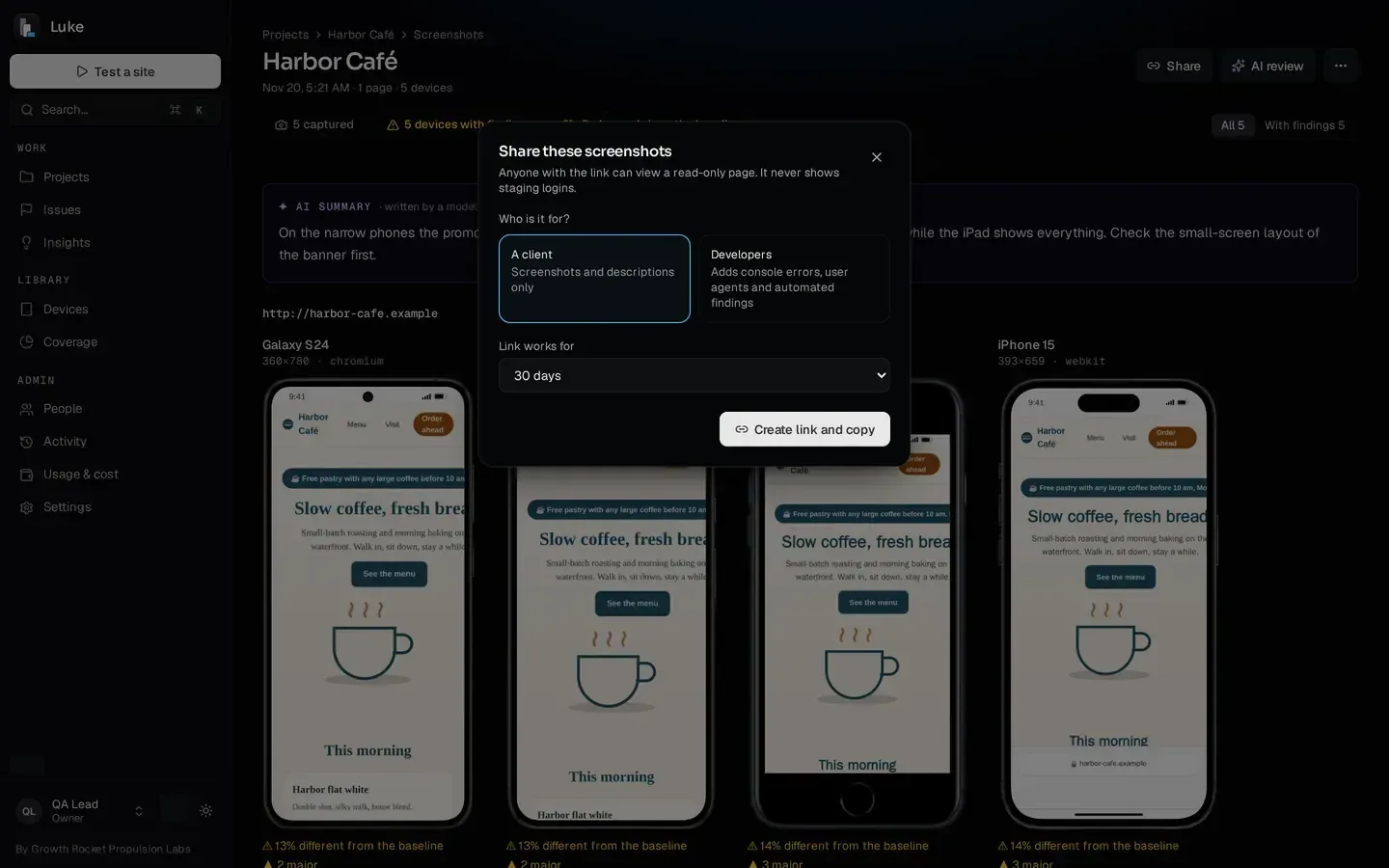
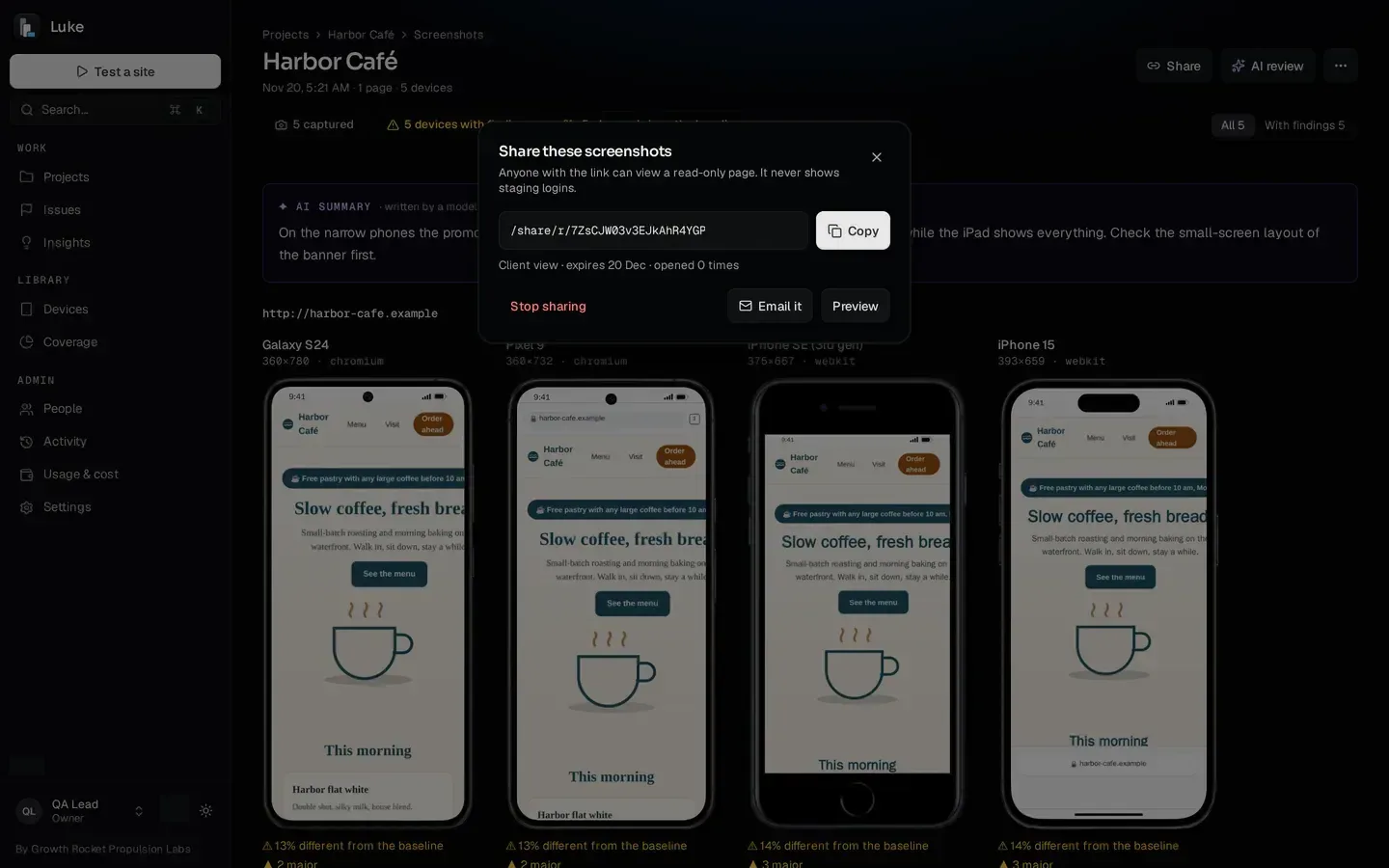
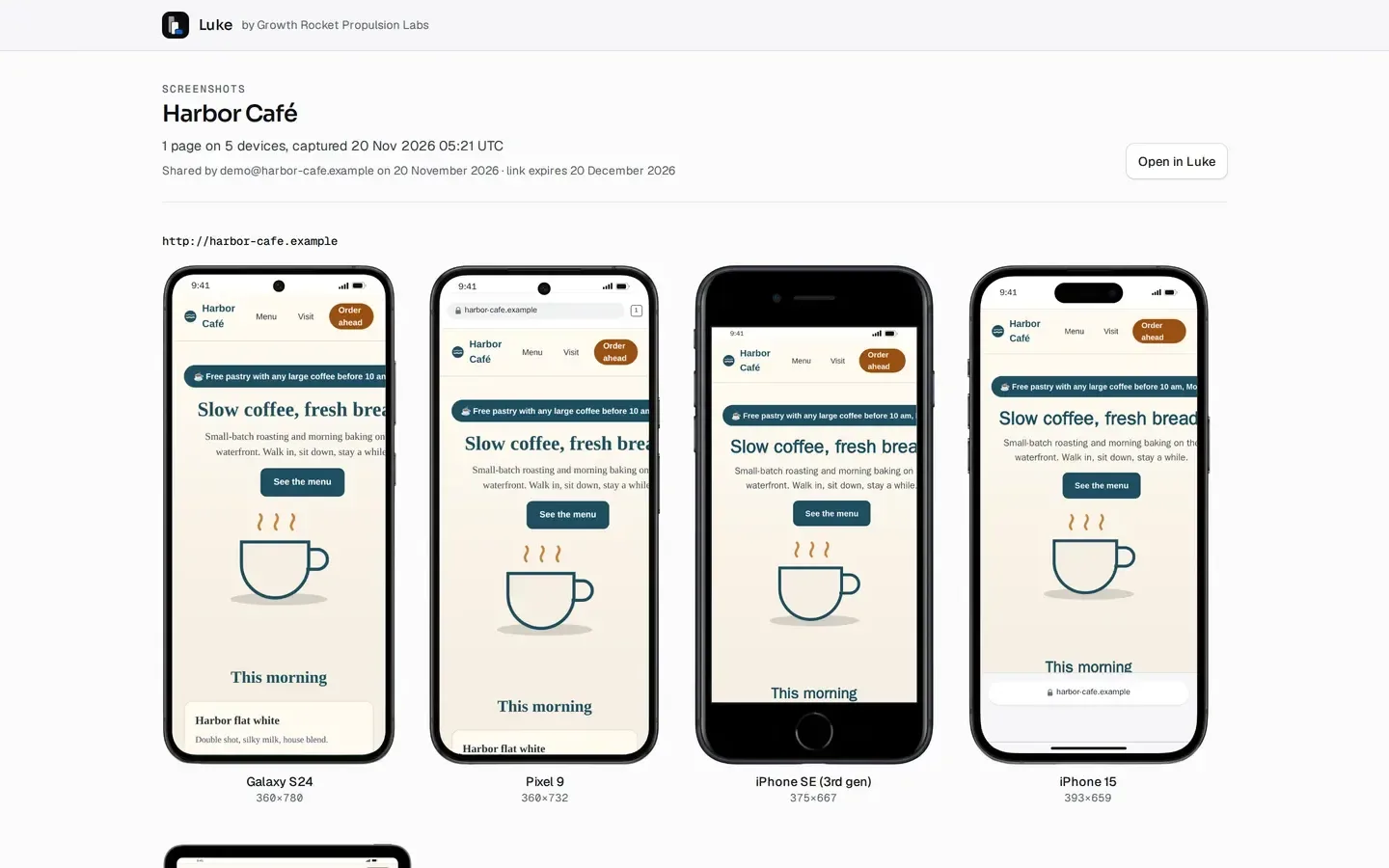
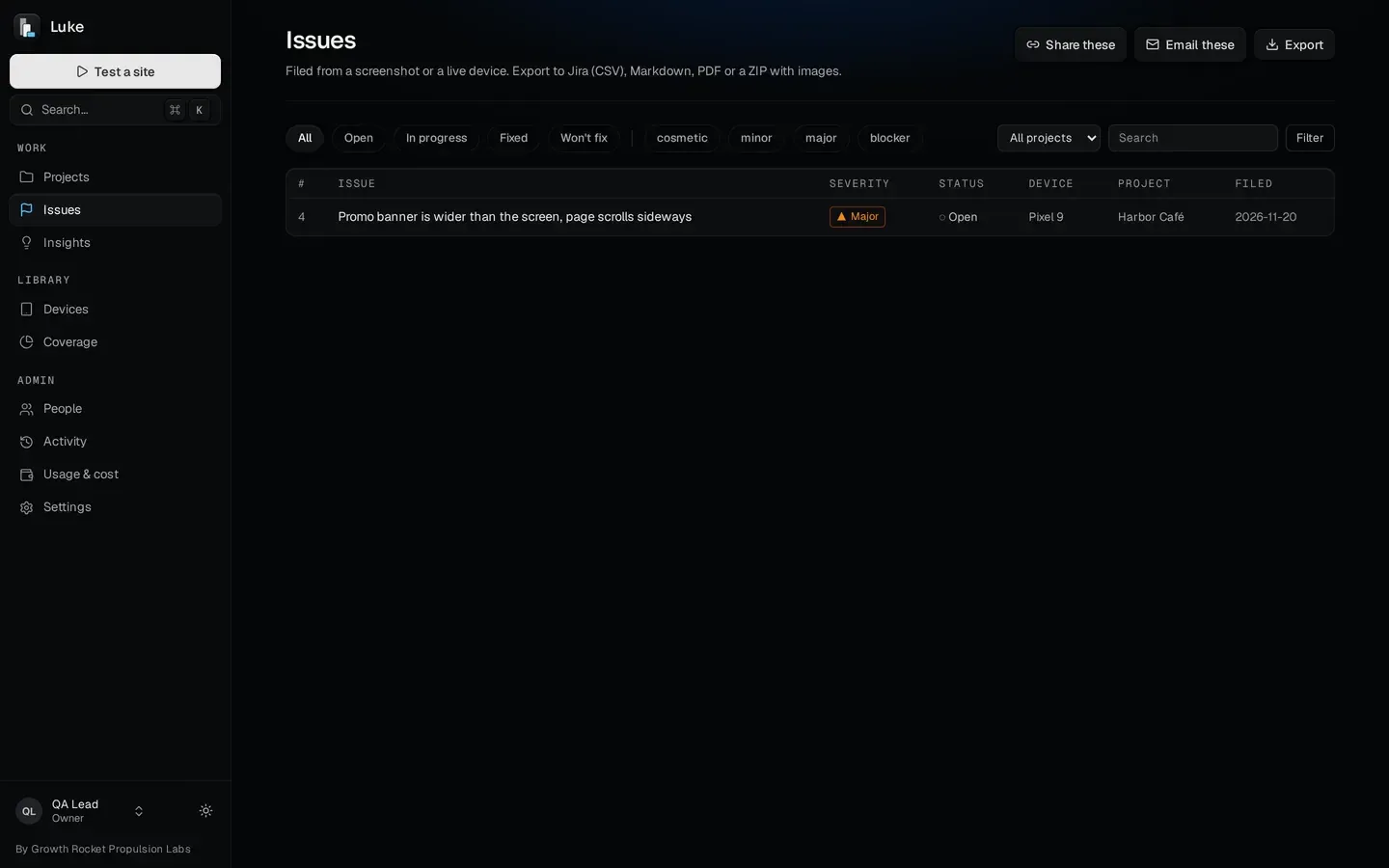
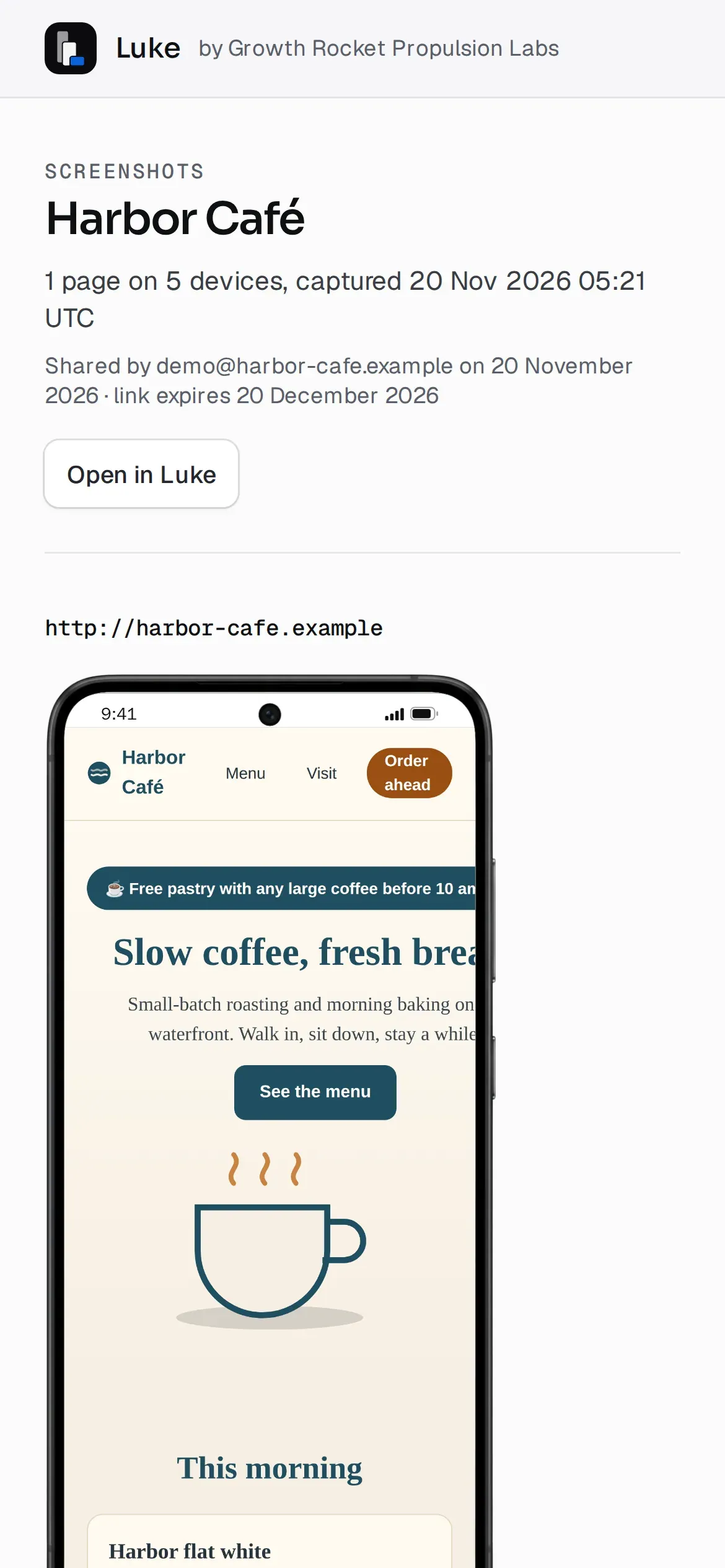
A clean page for your client, the details for your developer.
09A second pair of eyes
An AI second look at every run, next to what Luke measures.
AIAsk for an AI review and Luke's AI looks over up to 24 screenshots from a run, writes a summary and explains what changed against the baseline. Luke labels it as a model's view to verify before acting. Alongside it, Insights counts the findings that keep coming back across runs and sites, from the measured checks only, so the numbers can be reproduced.
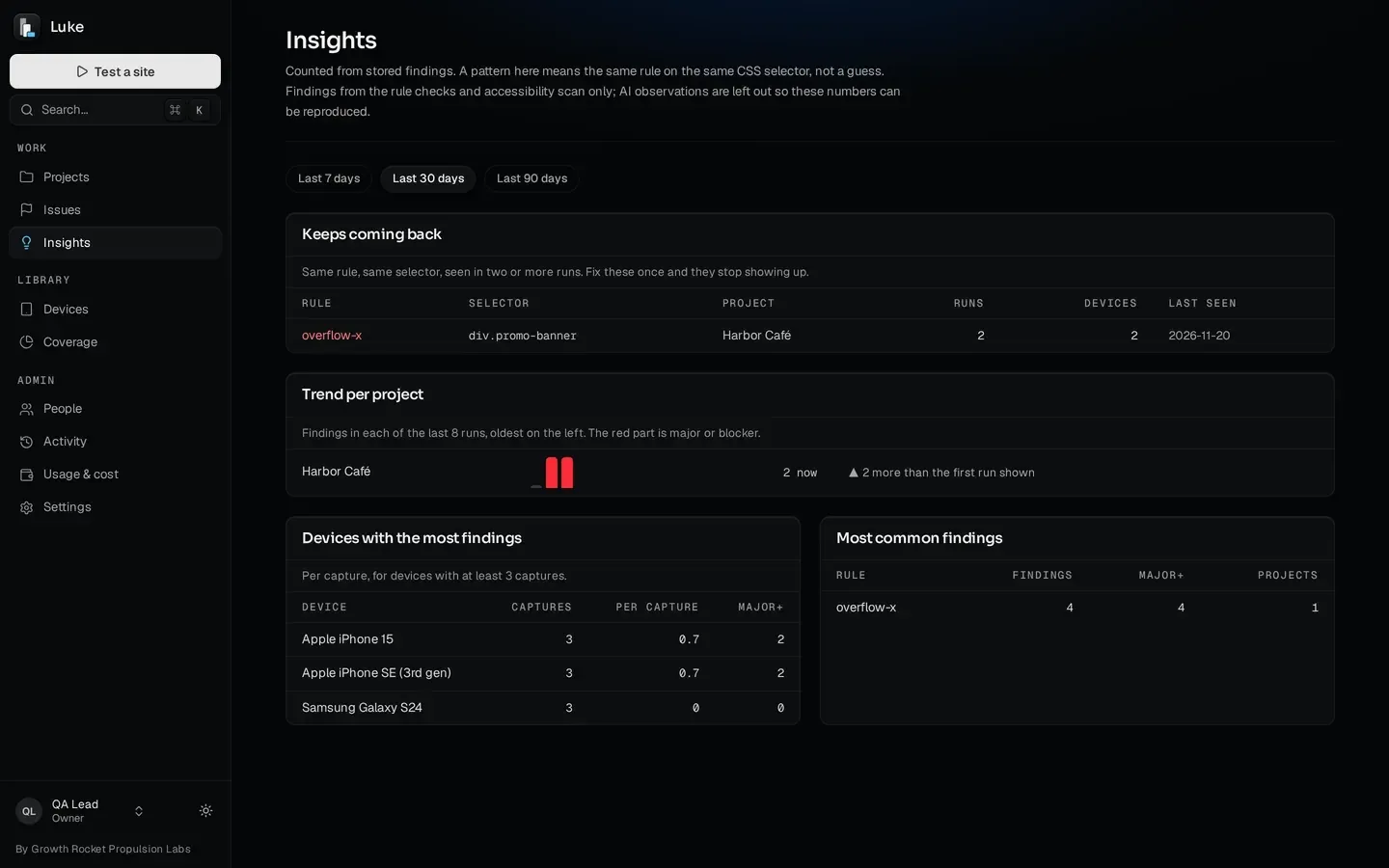
An AI second look at every run, alongside what Luke measures.
10The rest, briefly
Everything else a testing team needs, already in.
-
Staging, logged in once
Save a staging login from the live view, or set basic auth, headers or cookies per project.
-
Projects
Each site is a project with Overview, Screenshots, Issues and Settings, its pages, recent activity and a set-up checklist.
-
Issues in one place
Every issue across projects, filtered by status and severity, with its device and project.
-
Every issue carries its environment
Device, viewport, user agent, page and the moment it was captured, attached automatically.
-
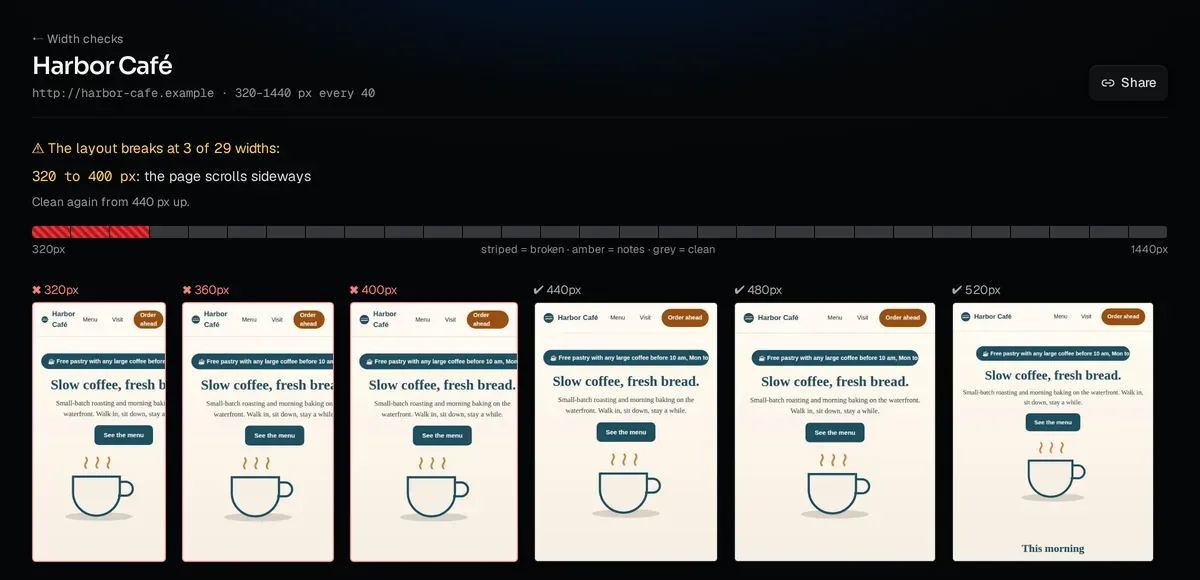
The full width report
Every width check opens as a page: the broken range, where it is clean again, and all 29 widths.
-

Search, from the keyboard
Press ⌘K to search Luke from anywhere.
That's the whole testing hub, in your hands. Contact Growth Rocket for licensing
Find it, write it up, hand it off.
Luke is the testing hub Growth Rocket uses on its own client sites, with a testing kit maintained and kept current by Growth Rocket. Talk to us about licensing it.
What buyers ask
Does Luke test on real devices?
Not on physical phones, and we say so. Luke renders in browser engines (Chrome's Chromium, Safari's WebKit and Firefox's) set up as each device's screen, density and touch. It's built to catch layout and responsive bugs early and on every deploy; quirks of one physical phone still need a check on that phone.
Why not just use BrowserStack?
Use it for physical-device checks. Luke does the part a device cloud doesn't: it measures every width, finds the break, and writes up the bug from your marks.
Can AI-written bug reports be trusted?
The AI only describes what the tester marked, and the tester reviews and edits the draft before saving it. The run review is an AI second look, not a verdict.
How does it fit our developers' workflow?
Bugs export as a Jira-ready CSV, PDF, Markdown or a ZIP with images, or go out as a link with technical details. Checks can run on a schedule or after every deploy.
What do clients see?
A clean, read-only page without the technical noise, with an expiry date you set.
What does 'kept current' cover?
The layout checks, the device list (with a daily check for new devices) and the screen-size data behind coverage are maintained and kept current by Growth Rocket, for its own work and for every licensee.
Can we buy Luke?
Luke is Growth Rocket's own tool, used in our website work. Talk to us about licensing it.
Luke was built in Growth Rocket's AI Skunkworks.
AI Skunkworks is Growth Rocket's AI Development Lab: we build AI-powered applications that solve real business and operations problems. Live device views in three browser engines, every-width checks, visual baselines, scheduled runs, AI bug write-ups and client-ready sharing: Luke is a complete testing platform, designed, built and run by Growth Rocket. We use it every day on our own client sites, and the AI Skunkworks team maintains it and keeps its testing kit current. When the right tool doesn't exist, we build it.
Build an AI app with Growth Rocket- 01 Cover
- 02 Check
- 03 Find
- 04 Share
About Growth Rocket
Growth Rocket is a full-service growth marketing agency for SEO, GEO and AEO, paid media, and web and AI application development, with offices in Los Angeles and Manila. Its AI Skunkworks lab builds the AI tools its own teams run on.
Visit growth-rocket.com