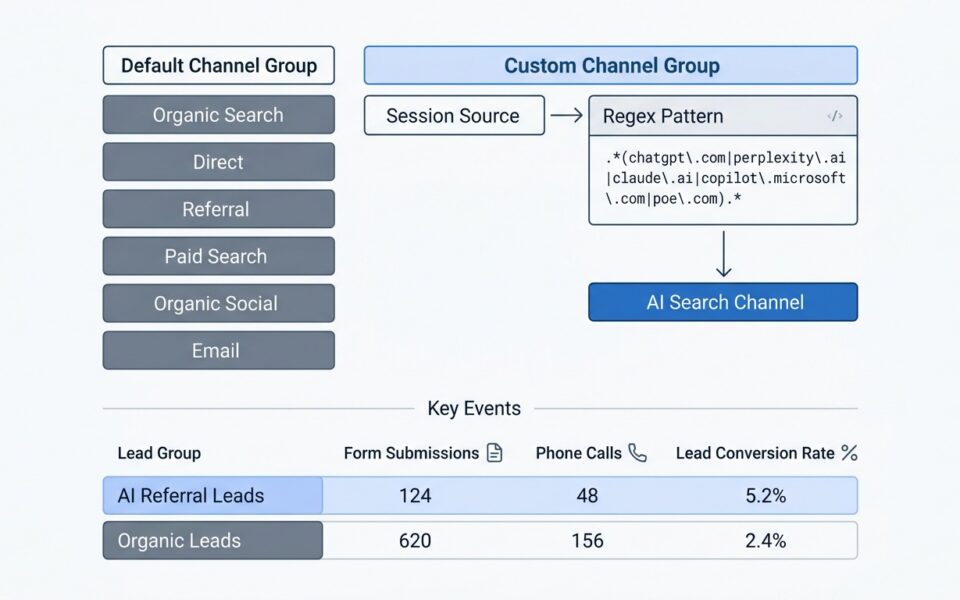
How to Track ChatGPT and Perplexity Traffic and Leads in GA4
How to track ChatGPT traffic in GA4 (and tie it to leads) To track ChatGPT traffic in GA4, open Reports > Acquisition > Traffic acquisition, switch the dimension to session...
Mike VillarIf Search Console shows clicks falling while impressions and average position hold steady, you most likely have a click-through problem, not a ranking loss. AI Overviews answer the...
 Mike VillarOctober 27, 2026
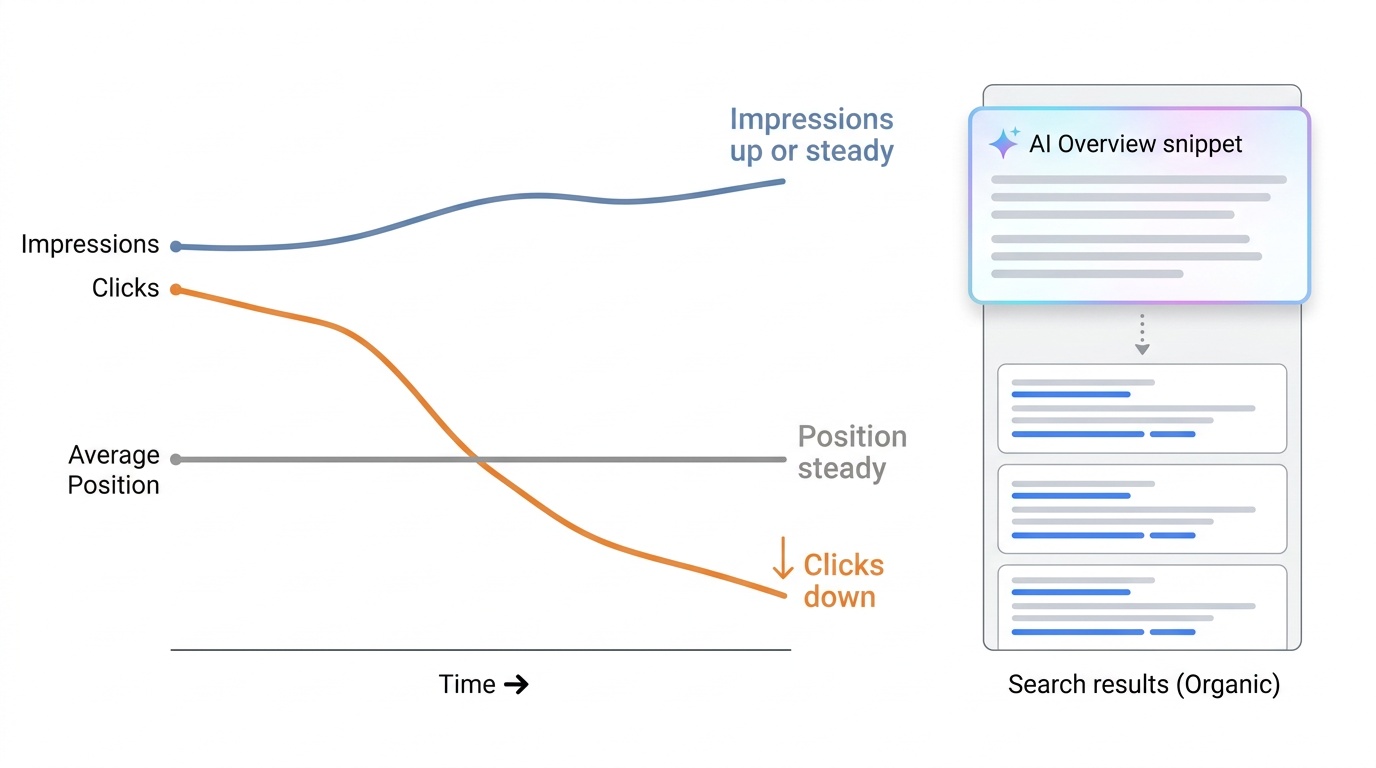
If Search Console shows clicks falling while impressions and average position hold steady, you most likely have a click-through problem, not a ranking loss. AI Overviews answer the query above your result, so fewer people click even when you still rank. Before you take that story to leadership, run four checks: position, query type, tracking, and seasonality. Then report the drop in terms of leads and revenue.

An AI Overview is the generated summary Google places above the standard results on some searches. It answers the question on the page, so a searcher who would once have clicked your guide may now read the summary and leave. Your page can sit in position three the whole time and still lose most of its visits.
That is why an AI Overviews traffic decline looks odd in reports. Rankings look normal, impressions look healthy, and sessions fall anyway. Leadership sees one number going the wrong way and assumes the SEO program broke.
Sometimes it did. A real ranking loss needs a different fix from a click-through loss, and you cannot tell them apart from the sessions chart alone. The next section shows how to separate them in about an hour.
Open the Performance report in Google Search Console. Compare the last three months with the same period a year earlier, and turn on clicks, impressions, CTR, and average position. Year over year removes most seasonal noise.
The pattern you are looking for is clicks down, impressions flat or up, CTR down, and position roughly unchanged. SEOs call it the great decoupling. Ahrefs suggests one reason impressions rise is that AI Overviews can cite several URLs in a single result, so more pages get counted as shown while the overview absorbs the click.
Treat the impression side with some suspicion, though. Brodie Clark has shown that part of the impression jump may come from Google disabling the &num=100 parameter, which returned up to 100 results per page, rather than from AI Overviews. If your impressions rose sharply on one date, check whether that date matches the parameter change before you credit AI Overviews.
If impressions fell along with clicks, that points toward a ranking or indexing problem, so keep digging there.
Go to the Pages tab and compare periods to find the URLs that lost the most clicks. Click into each one, then open its Queries tab and look at position for the queries that dropped.
If a page moved from position 3 to position 9, you have a ranking loss, and AI Overviews are not the main story. If it stayed within a position or so, the click loss is a CTR problem. Average position blends devices and queries, so judge the top five or ten queries one by one, not the page-level average.
Then search those queries yourself in a clean browser. Note which ones show an AI Overview and whether your site is cited in it. A page that lost clicks on queries with no AI Overview needs a different explanation.
Filter queries with a regex that matches your brand name and its misspellings, then compare branded and non-branded separately. Branded clicks usually hold up because people already know where they want to go. The losses tend to sit in “what is”, “how to”, and comparison queries that an AI summary can answer in a paragraph.
If branded clicks fell too, AI Overviews are a weaker explanation. Look at brand demand, paid campaigns, PR, and seasonality instead. A slow slide in both position and clicks on older pages points to content decay, which needs a refresh, not a CTR argument.
Before you blame Google, clear the boring causes:
If all of that checks out, you can say with confidence that the drop is mostly lost clicks, not lost visibility.
Three named datasets give you something to quote. Each measures something different, so cite them precisely.
Ahrefs first analyzed 300,000 keywords and found that an AI Overview correlated with a 34.5% lower average CTR for the top-ranking page. Its updated analysis, using December 2025 data, puts that figure at 58%. The measure here is the page in position one, across a large keyword set.
Seer Interactive found that organic CTR on informational queries with AI Overviews fell 61%, from 1.76% to 0.61%, between June 2024 and September 2025. Search Engine Land’s report on the study puts the paid CTR drop on those queries at 68%. Seer’s own write-up cites a slightly lower paid figure of 65%, so quote the number alongside the source you link.
Seer also found that CTRs fell 25% to 41% on queries without AI Overviews. That detail matters for the next section.
Pew Research looked at actual browsing behavior instead of keyword data. In a March 2025 analysis, users clicked a traditional result in 8% of visits when an AI summary appeared, compared with 15% of visits when one did not. Because it tracks real people, it is the hardest of the three to dismiss as a keyword-tool artifact.
They show that AI Overviews and lower click-through move together, and that the effect is large. They do not show that AI Overviews caused your specific drop.
Say this out loud in the meeting. A boss who hears the limits from you is far more likely to trust the rest of your argument than one who finds them later.
Clicks are a means, not the goal. Leadership cares about pipeline, so open with what happened to leads and revenue from organic and only then explain traffic.
Pull three numbers from your CRM or GA4: organic-sourced leads, organic-attributed revenue, and the share of each that came from the pages that lost clicks. Often the pages that lost the most traffic were top-of-funnel informational content that rarely converted directly. If leads held while sessions fell, your story is simple: you lost low-intent visits, not buyers.
If leads fell with traffic, say so plainly and show which pages and queries account for it. Also bring the softer signals that last-click reports miss, such as branded search trends in Search Console and direct visits to deep pages. Present those as supporting hints, not proof.
Keep the page to five short blocks, in this order:
Keep it to one page. Put the chart of clicks, impressions, and position on the same axis beneath it, because the split between lines tells the story faster than text.
Use this as a starting point and swap in your own numbers.
“Organic traffic is down [X%] since [month]. Our rankings on the affected pages have not moved, and impressions are flat, so we have not lost visibility. Google now answers many informational searches with an AI summary, and independent research from Ahrefs, Seer Interactive, and Pew shows people click less when one appears.”
“That research does not prove it explains our whole drop, so I checked tracking, indexing, and seasonality, and none of those account for it. What matters for the business is that organic leads are [up, flat, or down X%] and organic revenue is [figure]. The pages that lost traffic are mostly top-of-funnel, and I want to show you how much of our pipeline they actually influence.”
“I’m proposing we report leads, revenue, and branded search demand alongside sessions from now on, and focus new content on queries where clicks still happen.”
Start with the diagnosis. Run the Search Console comparison, segment branded from informational queries, and write down which pages lost clicks and whether they still rank. That single document answers most of what leadership will ask.
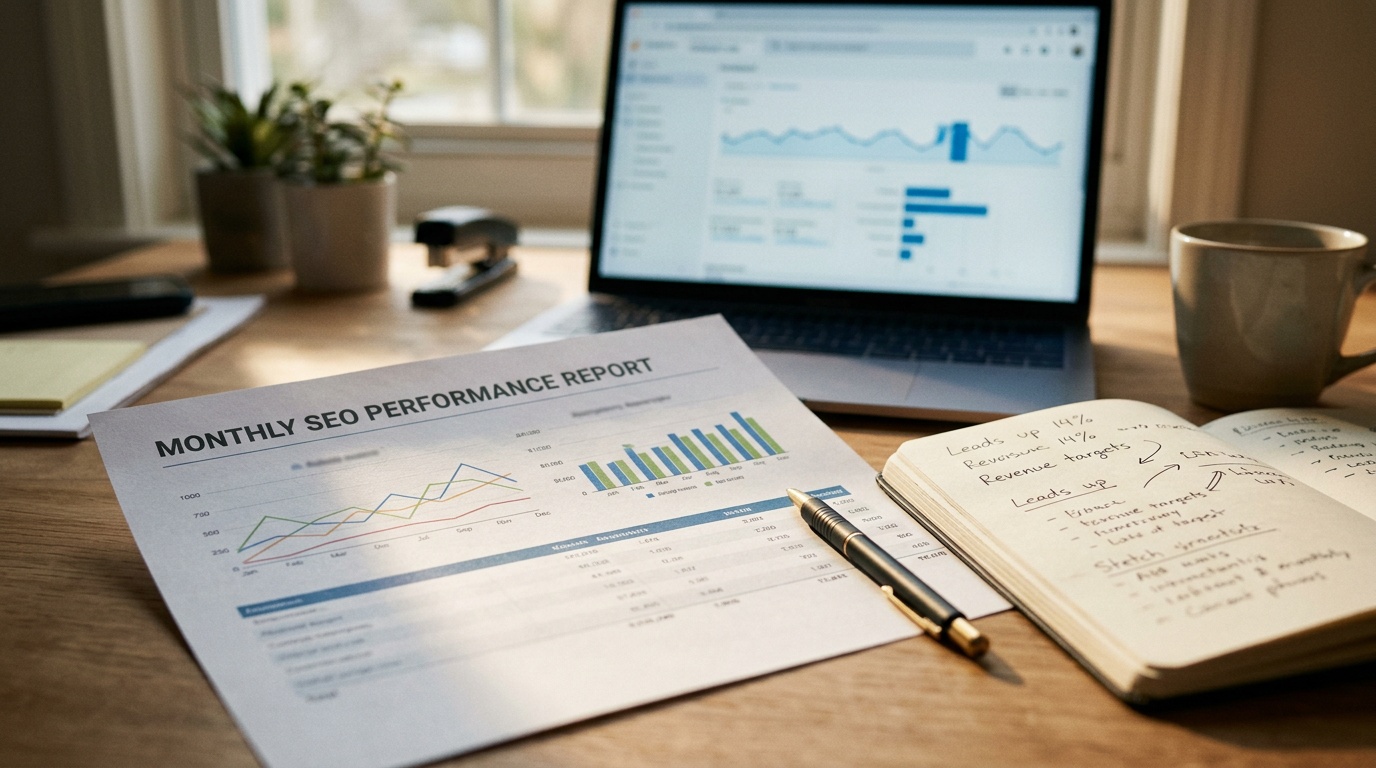
Then change the reporting. Put leads, revenue, and branded search trends at the top of the monthly report, with sessions underneath. If you are also tracking AI referrals, a custom channel group in GA4 lets you compare their lead rates with organic search, though expect small volumes.
Finally, sort your affected pages into two groups: those that still convert and deserve a refresh, and those that only drew curiosity traffic and may not be worth defending. If you want a second pair of eyes on the data, book a call with Growth Rocket and we will review your Search Console and GA4 account with you, separate the ranking losses from the click-through losses, and help you build the leadership narrative.
How to track ChatGPT traffic in GA4 (and tie it to leads) To track ChatGPT traffic in GA4, open Reports > Acquisition > Traffic acquisition, switch the dimension to session...
Mike VillarHTTP/2 is a significant upgrade from HTTP/1.1, offering faster page loading times, reduced latency, and improved security. It's essential for modern websites, especially those with resource-heavy content or a focus on mobile performance.
Stefanie SiclotGoogle has rolled out its first core update for 2022. The Growth Rocket team looks at how this update shook up search rankings and how you can recover.
Josh EvoraStart your brand's success journey today with a conversation. Share your goals and objectives with us and let's set up a discovery call.