Web Applications Development

Custom Web Application Development Built to Be Run, Not Just Shipped

We design and build web applications end to end: the interface, the API, the database and the infrastructure under them. We run our own products in production, so we build yours the way we would want to inherit it: tested, documented and ready to grow.

  • Claude Certified Architect – Foundations
  • Google Partner
  • Magento Certified Developers
  • CXL Certified Optimizer
  • Meta Business Partner
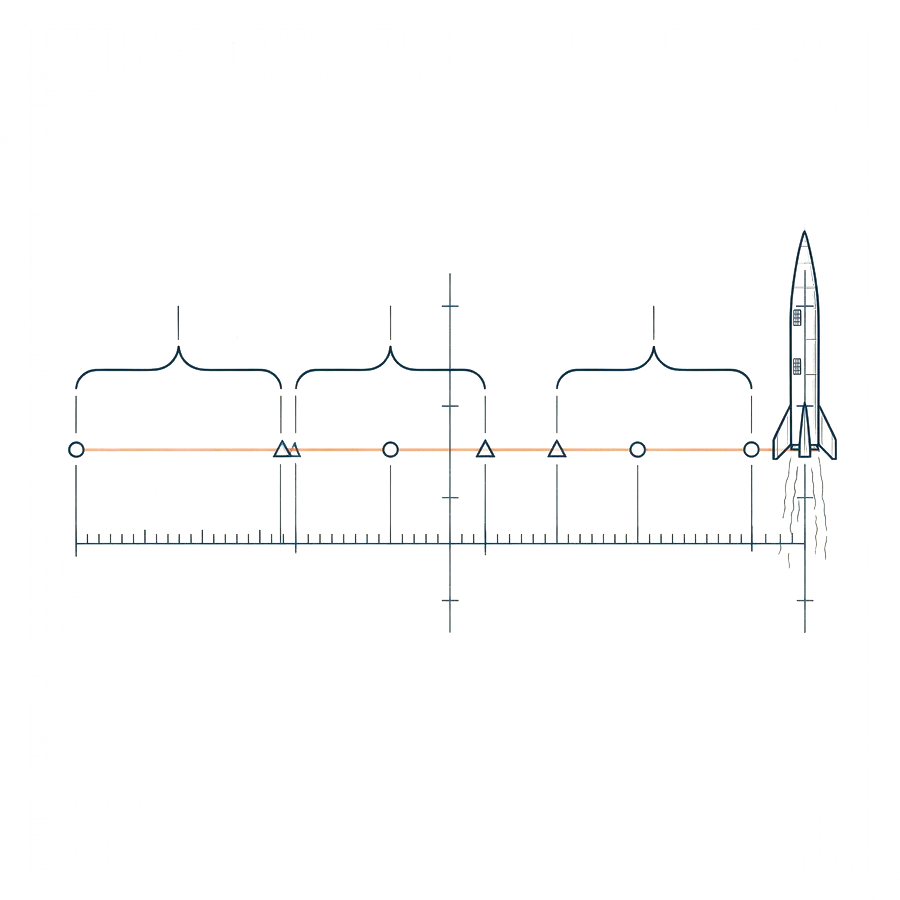
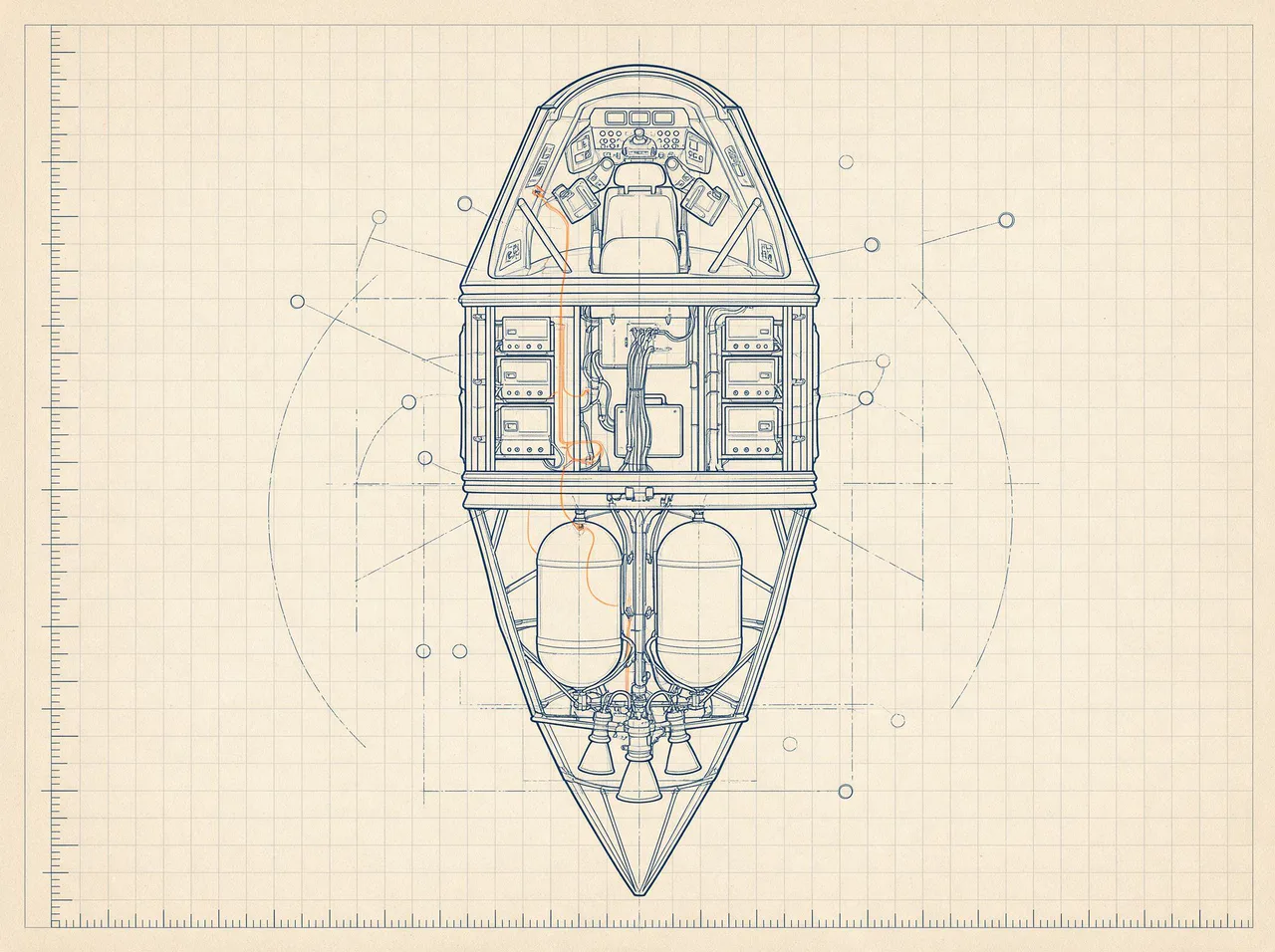
Cutaway drawing of a spacecraft showing cabin, avionics bay and propellant tanks connected by a wiring harness with one orange signal, illustrating a full-stack web application
Plate 12 · Full-stack cutaway

What is custom web application development?

Custom web application development is the design and engineering of software that runs in the browser and is built around how your business works: a customer portal, a SaaS product, a marketplace, a dashboard or an internal tool. It covers the user interface, the back end, the database, integrations and hosting.

A website tells people about your business. A web application does something for them or for your team: they log in, enter or review data, make decisions and get results. Off-the-shelf software gets you most of the way for common needs. A custom application earns its cost when your process is the advantage and the existing tools force workarounds.

We work full stack, so the person designing the screen understands the database behind it. That keeps projects simple, fast and cheaper to change. We also bring marketing and SEO knowledge that most software shops lack, which matters when the app has a public face. Looking to add intelligence to the product? See our AI applications development work.

Updated October 2026 · Growth Rocket search team

Custom software development vs a web application: what is the difference?

Custom software is any software built for a specific business need. A web application is software delivered through the browser. Most modern custom software is built as a web application because it works on any device without installation.

“Custom software development” gets over twelve thousand searches a month and “custom web application development” more than two thousand. The overlap is large, and for most business problems the answer is a web app.

Browser-based software is easier to deploy, update and use across a team. Native mobile and desktop applications still make sense for things that need deep device access or offline use, but many of those needs can also be met with a progressive web app, which behaves like an installed app.

We focus on web applications because they are the best fit for most business tools, portals and products, and because we can build them end to end.

Custom build, off-the-shelf or low-code?

Building is not always the answer. This is how we help you decide.

ApproachBest forStrengthsLimitsChoose it when
Off-the-shelf software Common needs with standard processesCheapest and fastest to startYou adapt to the tool; limited customizationA product already does 80% of what you need
Low-code and no-code Simple internal tools and quick prototypesVery fast to build, low upfront costHits walls on scale, logic and cost; you rent the platformThe process is simple and the audience is small
Custom web application Processes that are your edge, products you sell, complex integrationsFits exactly, scales as you do, you own the codeHigher upfront investment; needs a team to maintainThe tools you have force workarounds or hold back growth

What our web application development services include

Everything from the first workshop to the production server, with one team accountable.

  • 01

    Product discovery and scoping

    We turn an idea into a clear scope: who the users are, what they need first and what can wait.

  • 02

    UX and interface design

    Flows and screens designed for the people who will use them every day, tested before they are built.

  • 03

    Front-end development

    Fast, accessible interfaces built with modern frameworks such as React and Next.js.

  • 04

    APIs and back-end development

    Robust services in Python, Node.js or PHP, designed to be tested and extended.

  • 05

    Databases and data modeling

    Relational databases such as PostgreSQL, designed so your data stays clean as the product grows.

  • 06

    Authentication and roles

    Secure sign-in, permissions and audit trails for teams, customers and partners.

  • 07

    Integrations

    Payments, CRMs, calendars, ERPs and other systems connected through well-defined APIs.

  • 08

    Admin dashboards and reporting

    The tools your team needs to run the application and see what is happening.

  • 09

    Cloud and DevOps

    Containerized deployments, automated pipelines, monitoring and backups.

  • 10

    Testing and quality

    Automated tests, code review and staged releases, so changes ship safely.

  • 11

    Maintenance and iteration

    Ongoing support and a steady release cadence after launch.

Web applications for how you work

  • SaaS and MVPs

    A focused first version in the market quickly, built so you can add features without a rewrite.

  • Customer portals and marketplaces

    Accounts, ordering, bookings and payments, designed around your customers.

  • Internal tools and automation

    Dashboards, workflows and AI-assisted tools that remove manual work from your team.

  • React and Next.js
  • Node.js
  • Python and FastAPI
  • PHP
  • PostgreSQL
  • Docker
  • REST and GraphQL
  • Progressive web apps

MVP development: what to build first

An MVP (minimum viable product) is the smallest version of a product that delivers real value to real users and teaches you what to build next. Build one core workflow well, for one kind of user, and learn.

“MVP development services” are searched almost three thousand times a month, which tells you how many teams want to test an idea cheaply. The danger is building a large first version that is a small version of everything.

Our approach is to pick the single workflow that proves the idea, the one user who feels the pain most, and the simplest implementation that works reliably. We leave out accounts, settings and features that do not help test the idea, and we build it in a way that can grow, with clean architecture, tests and hosting that scales.

The result is something you can put in front of real users within weeks, with a roadmap based on what they do rather than what anyone guessed.
What to expect in the first 90 days of a web application project

Expect a discovery sprint to define scope and risks, a short design phase, then working software in short cycles, with a usable first version in front of real users within the first few months.

A good build is visible from the start. Our usual shape:

  1. 01Weeks 1 to 2, discoverworkshops with the people who will use the application, a clear scope, success measures, technical risks and an architecture plan.
  2. 02Weeks 2 to 4, designflows and prototypes tested with real users, plus the data model.
  3. 03Weeks 4 to 12, build in sprintsworking software every one to two weeks, demos and a visible backlog.
  4. 04Launchhardening, a managed release to a small group, then wider.
  5. 05Aftermonitoring, support and a roadmap based on how people actually use it.

The most useful thing about this rhythm is that you can change direction cheaply. If early users want something different from what anyone expected, you find out in week five and not month nine.

We build and run our own

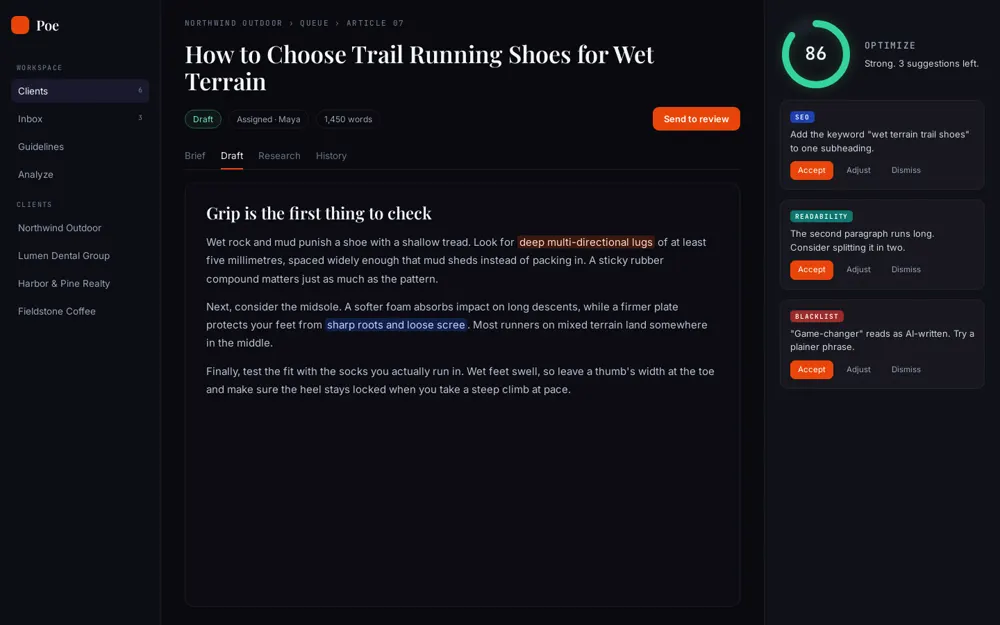
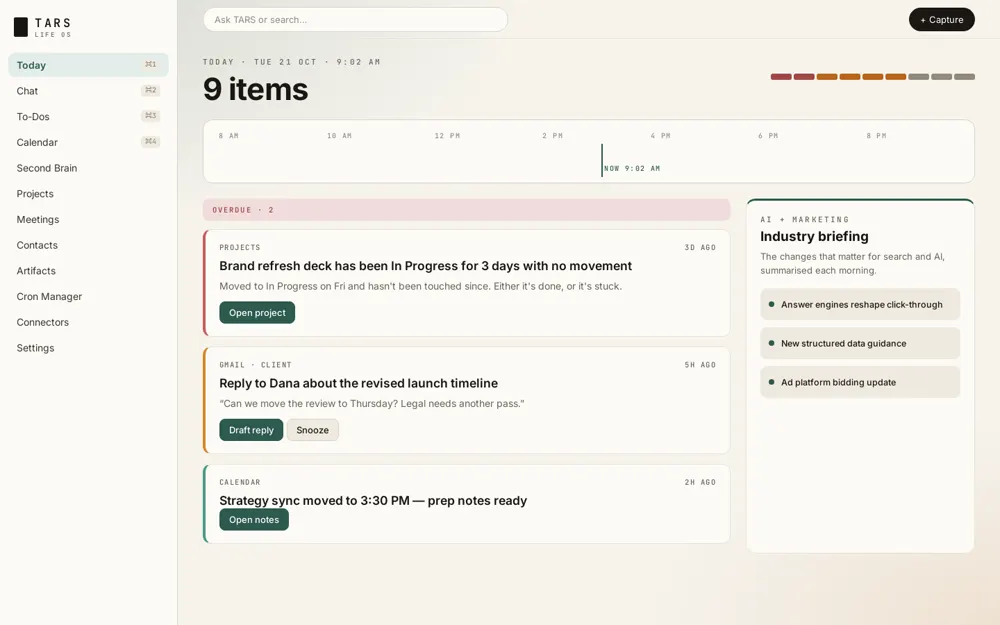
Two platforms we use inside Growth Rocket every day. The screens below are recreations with fictional data, drawn from the real products.

  • Poe: AI content hub (stylised screen, fictional data)
    AI content hub

    Poe

    Takes articles from a client-approved calendar through research, AI-assisted drafting and human editing, guided by the SEO keywords our team provides.

  • TARS: AI operating system (stylised screen, fictional data)
    AI operating system

    TARS

    A Next.js and FastAPI application that brings chat, tasks, meetings, calendar and a searchable knowledge base into one place, installable as an app.

How we run a web application project

Short cycles, working software and decisions you can see.

  1. 01

    Discover

    Workshops to define users, goals, scope and success measures.

  2. 02

    Design

    Flows, prototypes and an architecture plan, reviewed with you.

  3. 03

    Build

    Working software in short sprints, with demos every cycle.

  4. 04

    Launch

    Testing, hardening and a managed release.

  5. 05

    Run and improve

    Monitoring, support and a roadmap of improvements.

Why teams choose Growth Rocket for web applications

A boutique team with enterprise discipline, and product thinking built in.

  1. 01

    We run our own products

    Poe and TARS run in production, so we know what it takes to keep software healthy after launch.

  2. 02

    Full-stack and product-minded

    The people designing the screens understand the data and the business behind them.

  3. 03

    Growth built in

    SEO, analytics and conversion thinking go into the build, not on top of it.

  4. 04

    AI-ready

    We can add AI features where they pay for themselves, and leave them out where they do not.

  5. 05

    You own the code

    Documented, tested code in your repository, with no lock-in.

Certified, and kept current

How to choose a web application development company: seven questions to ask

Most software projects fail on communication and scope, not code. These questions help you find a partner who will not.

We answer every one of these on a first call.

  1. Who will build my application?

    Ask about the actual team, their experience and whether they are employees or subcontractors.

  2. Have you built and run products yourselves?

    Teams that maintain their own software understand what breaks. Ask for examples.

  3. How do you handle scope and change?

    Look for short cycles, visible backlogs and honest trade-off conversations.

  4. What does testing look like?

    Look for automated tests, code review and staged releases.

  5. Will I own the code?

    You should, in a repository you control, with documentation.

  6. How do you handle security and data?

    Ask about authentication, permissions, secrets, backups and compliance needs.

  7. What happens after launch?

    Ask about hosting, monitoring, support and how improvements are planned.

Web application mistakes we help you avoid

Most failed builds fail for the same reasons.

  • Building everything before validating anythingWe start with the smallest version that proves the idea, then grow from real use.
  • No automated testsWe write tests alongside the code so changes stay safe as the product grows.
  • Hosting as an afterthoughtWe design deployment, monitoring and backups from the start.
  • Vendor lock-inYour code lives in your repository, and the stack uses widely supported tools.
  • Ignoring search for public pagesServer-rendered pages, clean URLs and structured data are part of the build where the app has a public face.
  • Scope that never stops growingWe prioritize every sprint and keep a visible backlog, so trade-offs are made in the open.

Web app security and hosting: what we build in from the start

Secure authentication, role-based permissions, encrypted data, validated input, secrets management, backups, monitoring and a tested deployment process are part of every build, not extras.

Security problems are cheapest to prevent at the start. We design for them from the first sprint.

  • Authentication and permissionsmodern sign-in, optional single sign-on and role-based access, with the principle of least privilege.
  • Data protectionencryption in transit and at rest, careful handling of personal data and sensible retention.
  • Secure codinginput validation, protection against common web attacks, dependency updates and code review.
  • Secrets and configurationcredentials kept out of code and rotated.
  • Hostingcontainerized deployments, separate environments, automated pipelines, backups and restore tests.
  • Monitoringlogging, alerts and uptime checks, so problems are caught before users report them.

Web application development: frequently asked questions

How long does it take to build a web application?

A focused first version can take a couple of months. Larger platforms take longer and are best built in phases. We give a timeline after discovery.

What is the difference between a website and a web application?

A website mainly presents information. A web application lets users do something: log in, enter data, make transactions or manage their work. Many projects combine both.

What technologies do you use?

We choose for the job: React and Next.js on the front end, Python, Node.js or PHP on the back end, and PostgreSQL for data, deployed in containers on the cloud. We favor widely supported tools you can hire for.

Do we own the code?

Yes. The code lives in your repository, with documentation and tests, so any competent team can take it forward.

Can you build an MVP first?

Yes, and we recommend it. A small first version gets you real feedback quickly and keeps early costs down.

Can you add AI features?

Yes. We can add assistants, document processing, search and automation where they help. See our AI applications development page.

Will you maintain the application after launch?

Yes. We offer ongoing support and a steady release cadence, or we can hand over to your team.

Can you take over an application another team built?

Yes. We start with a code, security and performance review and tell you what to keep, fix or rewrite.

What is the difference between custom software and a web application?

Custom software is any software built for a particular business need. A web application is software delivered in the browser. Most modern custom software is built as a web application.

What is an MVP?

A minimum viable product is the smallest version of a product that delivers real value and helps you learn what to build next. It focuses on one core workflow for one type of user.

Should we build custom or buy software?

Buy when an existing product does most of what you need. Build when your process is the advantage, when tools force workarounds, or when you are creating a product to sell.

Can you build a SaaS product?

Yes. We build multi-user SaaS applications with accounts, roles, billing and integrations, and we start with a focused first version.

How do you keep a web application secure?

We build security in from the start: modern authentication, role-based permissions, encrypted data, validated input, managed secrets, regular dependency updates, monitoring and tested backups.

What does a web application development team include?

Typically a product lead or project manager, designers, front-end and back-end developers, and quality assurance, with DevOps support. You work with one accountable team.

Ready for liftoff?

Tell us what you want to build and who it is for. We will help you scope the smallest version worth launching.

    Work With Us